?

Microcontroller board 3D Models

Find the best Microcontroller board 3D Models, free download in STL, FBX, GLB, OBJ, 3MF, USDZ for 3D modeling and creation in Blender, 3D printing, game developing, animation, eCommerce, AR/VR and etc. Generated by Tripo AI 3D Generator.

Anonymous1774632911
Anonymous1767380512
Anonymous1763118316
yong he
Anonymous1750522196
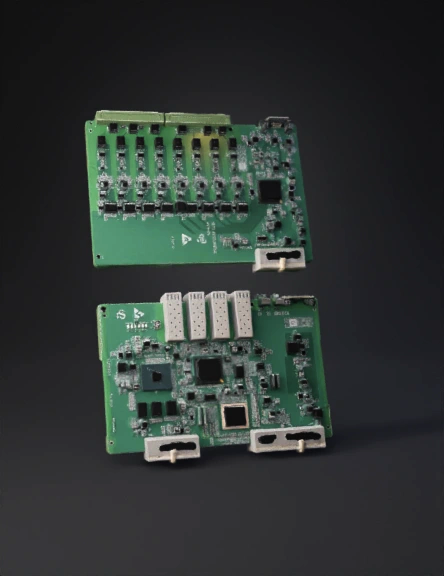
Step 1: Define Your Nets (Power Rails): Create distinct power lines for 5V and 3.3V. Since the ESP32 and LoRa SX1278 operate at 3.3V, ensure they are connected to a regulated 3.3V source to prevent damage.

Step 2: Establish the SPI Bus for LoRa: Connect the LoRa SX1278 to the ESP32 using the SPI protocol pins: SCK (GPIO18), MISO (GPIO19), MOSI (GPIO23), and NSS/CS (GPIO5).

Step 3: Connect Sensors and GPS:

    Ultrasonic Sensor: Connect the Trigger and Echo pins to the ESP32. Use a voltage divider on the Echo pin to step down the 5V signal to 3.3V for the ESP32’s safety.

    GPS Module: Connect the TX/RX pins to the ESP32’s hardware serial pins (GPIO16/17).

Step 4: Add Protection and Decoupling: Place 0.1µF and 10µF decoupling capacitors near the power pins of the ESP32 and LoRa module to filter out electrical noise and stabilize signals.
Anonymous1775101996
Anonymous1775539142
Anonymous1775349389
Anonymous1775271294
Anonymous1774962804
Anonymous1774948151
Anonymous1761301654
Anonymous1769795378
Anonymous1763632522
Anonymous1774932868
Anonymous1763297987
Anonymous1774857341
Anonymous1774702892
Enter invite code to get credits!