3D Workspace
Home
Assets
Affiliate Program
Creator Program
Sign up/Log in
View Plans
DCC Bridge
nithish20807e30
02-27 10:12
Model Name
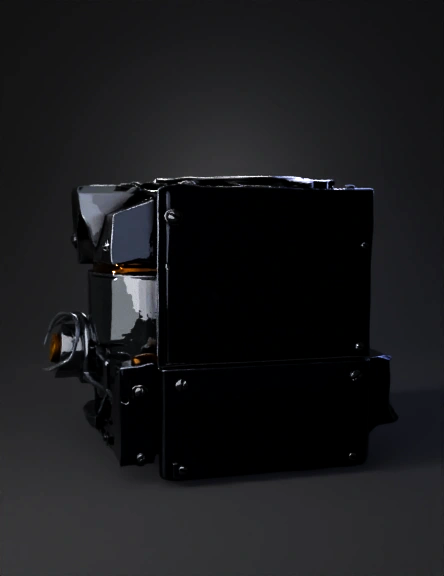
gear actuator 3d model
Tags
high torque
machine
machine realistic
machine rendering
machine rendering realistic
realistic
rendering
rendering realistic
Prompt
🎬 PROJECT: GEAR ACTUATOR – CINEMATIC ENTRANCE Duration: 8–12 seconds Mood: Industrial / Premium / Precision Engineering Theme: Power + Accuracy + Motion Control 🎞 SCENE 1 — DARK POWER BUILD (0s – 2s) Visual: Full black screen Very subtle metal ambient sound Small spark of light appears Gear silhouette slowly visible Animation: Light sweep from left → right Gear barely rotating (slow 5° movement) Text (Fade-in): “Engineered for Precision” Opacity: 0 → 100 Font: Bold / Industrial 🎞 SCENE 2 — HERO ROTATION (2s – 5s) Visual: Full gear actuator now visible Matte metal material Subtle environment reflection Background: dark blue / black gradient Animation: Gear rotates slowly Camera slight push-in (zoom) Shadow dynamic shift Micro Detail: Slight vibration (industrial realism) Text: “High Torque. Zero Compromise.” 🎞 SCENE 3 — EXPLODED VIEW (5s – 8s) 🔥 (Main Impact Scene) Visual: Actuator parts separate smoothly: Housing Shaft Bearings Internal gear Motor Animation: Parts float outward in perfect alignment Wireframe overlay flash Technical blueprint grid briefly appears Sound: Subtle mechanical separation sound Text: “Designed. Tested. Perfected.” 🎞 SCENE 4 — REASSEMBLY POWER LOCK (8s – 10s) Visual: All parts snap back into place Animation: Quick assembly motion Final gear torque spin (strong rotation) Light flash at contact Text: “Built to Move Industries.” 🎞 SCENE 5 — TRANSITION TO WEBSITE (10s – 12s) Visual: Gear moves slightly to side Website navigation fades in CTA button appears Button: “Explore Specifications” Scroll indicator appears 🎨 VISUAL STYLE GUIDE Color Palette: Background: #0B0F1A Accent: Industrial Orange (#FF6A00) Text: White / Light Gray Highlight: Subtle electric blue Material: Brushed metal Slight roughness Realistic shadow Lighting: 1 rim light 1 top spotlight 1 soft fill light ⚙ Technical Implementation Plan In Blender: Create animation timeline Add keyframes for explode & assemble Add camera animation Export GLB In Three.js: Use GLTFLoader Animate with GSAP timeline Add ScrollTrigger for transition
Detailed Info
Related Models
Enter invite code
Enter invite code to get credits!
 nithish20807e30


 nithish20807e30