3D Workspace
Home
Assets
Affiliate Program
Creator Program
Sign up/Log in
?
Upgrade
DCC Bridge
Anonymous1782802069
06-30 06:56
Model Name
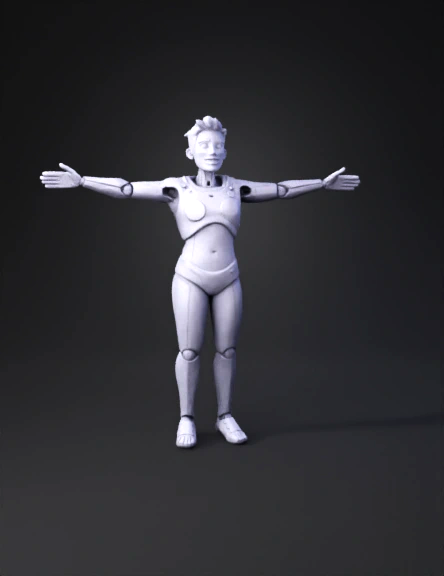
humanoid robot 3d model
Tags
animation
animation stylized
character
character animation
character animation stylized
character stylized
humanoid robot
humanoid robot figure
stylized
Prompt
1. Import the generated `.glb`/`.obj` into Blender. 2. **Face blendshapes (shape keys):** add the viseme set wawa-lipsync expects. wawa-lipsync drives the **Oculus / Ready-Player-Me viseme names**, so create shape keys named exactly: `viseme_sil, viseme_PP, viseme_FF, viseme_TH, viseme_DD, viseme_kk, viseme_CH, viseme_SS, viseme_nn, viseme_RR, viseme_aa, viseme_E, viseme_I, viseme_O, viseme_U` plus `eyeBlinkLeft`, `eyeBlinkRight` (or a single `blink`). The **FaceIt** Blender add-on, or ARKit-52 templates, generate these semi-automatically; otherwise sculpt each mouth pose manually from the open-mouth base. 3. **Body/arm rig for "doctor suggestion" gestures:** auto-rig the A-pose via **Mixamo** (upload the model, get a humanoid skeleton back) or Blender Rigify. Keep shoulder/elbow/wrist bones so a subtle hand-raise / open-palm gesture can be triggered. 4. Re-export as **GLB** with "export morph targets / shape keys" and "export skinning" enabled.
Detailed Info
Related Models
Enter invite code
Enter invite code to get credits!
 Anonymous1782802069


 Anonymous1782802069