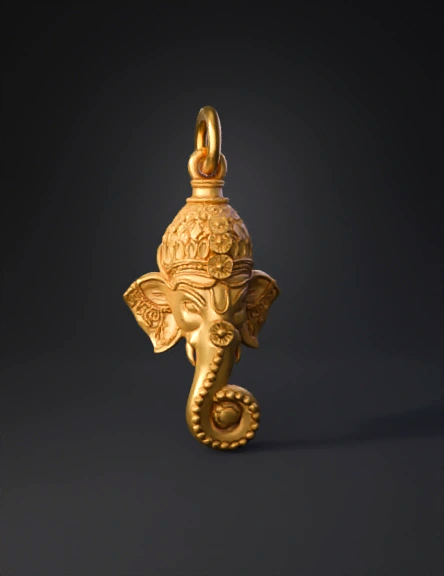
golden elephant pendant 3d model

1. Initial Sculpting and Form Organic Base: Start in ZBrush or Blender by blocking out the primary volumes: a sphere for the head, a curved cylinder for the trunk, and flattened planes for the ears. Trunk Fluidity: The trunk features a distinct "S" curve. Use the Curve brush or Bendy Bones in Blender to ensure the curve is smooth before adding the textured segments. Anatomical Details: Use a Standard brush to define the soft brow, the eyes, and the smooth transition where the ears meet the head. 2. Texturing and Patterning This pendant relies heavily on intricate surface patterns: The Crown (Kiritam): Use Radial Symmetry to create the floral and leaf patterns on the headgear. The top section features a "mesh" or "net" texture that can be applied using a Noise Maker or a custom Alpha mask. The Trunk Segments: To achieve the "beaded" look on the trunk, use an Insert Multi-Mesh (IMM) brush to place small spheres along a center line, or use a Tileable Alpha to wrap the texture around the cylinder. Ear Detai
v3.0-20250812


