3D Workspace
Home
Assets
Affiliate Program
Sign up/Log in
?
Upgrade
DCC Bridge
Anonymous1772215430
02-27 18:11
Model Name
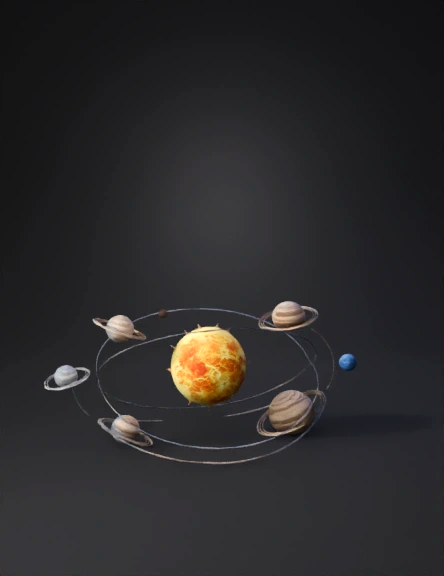
solar system model 3d
Tags
nature & environment
simulation
stylized
Prompt
1. The Clockwork Universe (Solar System) Visual Goal: Show order, predictability, and gravity. The Scene: A central, glowing Sun. Eight planets moving in perfect, elliptical paths around it. The movement should be slow, rhythmic, and synchronized—like the gears of a clock. Motion: The inner planets (Mercury, Venus) zip around quickly, while the outer planets (Jupiter, Saturn) move slowly and majestically. Caption: "Gravity: The Invisible Tether." 2. The Quantum Realm (Elementary Particles) Visual Goal: Show chaos, probability, and energy. The Scene: Zoom into an atom. Instead of solid balls, show a fuzzy, vibrating cloud of energy (the electron cloud). Motion: Particles shouldn't "orbit" like planets; they should pop in and out of existence, vibrating rapidly and changing colors (representing energy states). It should look like "static" or a "glitch," not a smooth machine. Caption: "The Quantum Dance: Nothing is Certain." 3. The Composition of the Universe (Pie Chart) Visual Goal: Show the "Dark" mystery. The Scene: Start with a pie chart where 100% is "Visible Matter" (Stars/Gas). Motion: Step 1: The chart shrinks rapidly to a tiny sliver (5%). Step 2: A huge, dark grey section expands to take up 27% (labeled "Dark Matter - The Glue"). Step 3: A massive, purple/black section expands to take the rest (68%) (labeled "Dark Energy - The Pusher"). Caption: "The Visible is only 5% of Reality." Part 3: How to Create These in PowerPoint/Keynote If you cannot find video files, you can build these "simulations" using simple slide animations: For the Solar System: Place a sun icon in the center. Place planet icons around it. Select a planet -> Animations Tab -> Path Animation -> Circle. Set the "Duration" differently for each planet (e.g., 2 seconds for Mercury, 10 seconds for Jupiter) and set "Repeat" to "Until End of Slide." For the Particles: Create many small circles (electrons). Select them all -> Animations Tab -> Teeter or Pulse. Set the duration to "Very Fast" (0.1s) and "Repeat" to "Until End of Slide." This creates a vibrating "cloud" effect
Detailed Info
Related Models
Enter invite code
Enter invite code to get credits!