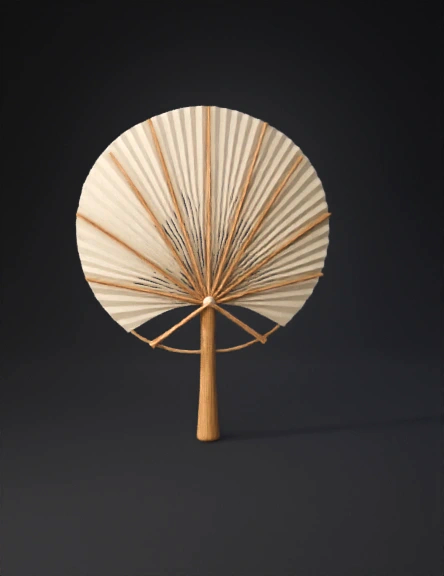
folding fan 3d model
3D Model Instructions: Create the Fan (Abaniko): Shape: Start with a circular shape that will be the base of the fan. Use a polygonal disk or plane to create the fan's base. Adjust the radius to create a smooth, slightly wide semi-circular shape. Material: Apply a smooth, semi-transparent material with a light color (such as cream or pastel) to the fan base. Use textures or patterns for a delicate floral or geometric design (Filipino motifs) on the surface. Handle: Add a narrow, elongated rectangular shape at the bottom center of the fan. Make sure it has a wooden texture (you can use a wood grain texture or material) to give the illusion of a traditional wooden handle. Folding Structure: Use thin, elongated strips of the same material (wood or bamboo texture) extending radially from the center to simulate the folding structure of the fan. Ensure the strips have some flexibility (so that when the fan "opens" in VR, it creates a slight arc effect). Details: Add tiny carvings or et
4K·v3.0-20250812


