3D Workspace
Home
Assets
Affiliate Program
Creator Program
Sign up/Log in
View Plans
DCC Bridge
Anonymous1775563665
04-07 13:10
Model Name
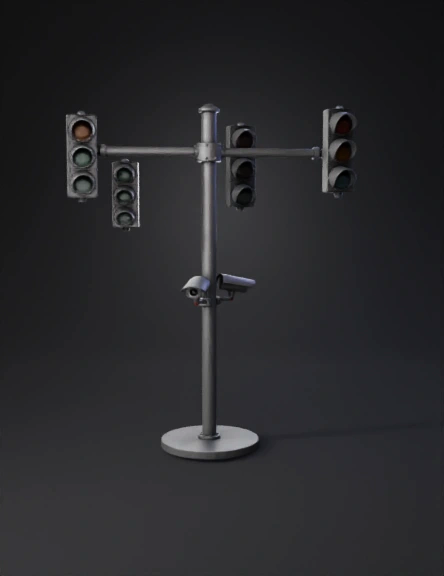
traffic light pole 3d model
Tags
lights
props
props realistic
props rendering
props rendering realistic
realistic
rendering
rendering realistic
traffic
traffic light pole
Prompt
A realistic 3D model of a traffic monitoring pole designed for GLB export (for Microsoft Word). Structure: * One central vertical cylindrical pole with a rounded top * One horizontal crossbar at the top (T-shape) Traffic lights: * Total of FOUR traffic lights * On each side of the crossbar (left and right), there are TWO traffic lights: * One facing forward * One facing backward (ROTATED 180 degrees) * The two traffic lights on each side must be mounted back-to-back on the same axis (NOT sideways, NOT 90 degrees) * Each traffic light has EXACTLY TWO circular lenses (red and green only), vertically aligned * Do NOT include a third light Cameras: * Two bullet-style security cameras mounted at the MID-HEIGHT of the pole (center area, not near the top) * Positioned symmetrically on a small bracket * BOTH cameras pointing forward * Slight downward angle Size and proportion: * Cameras must be significantly smaller than the traffic lights (about 40–50% of their size) * Keep realistic real-world proportions Base: * Circular concrete base Style: * Matte gray metal * Clean industrial 3D model * Medium detail (optimized for GLB, not too heavy) Important: * Maintain perfect symmetry * Keep alignment correct * Do not place cameras near the crossbar * Do not overscale the cameras * Do not rotate traffic lights sideways
Detailed Info
Related Models
Enter invite code
Enter invite code to get credits!
 Anonymous1775563665


 Anonymous1775563665