3D Workspace
Home
Assets
Affiliate Program
Creator Program
Sign up/Log in
View Plans
DCC Bridge
Anonymous1769580446
01-31 10:16
Model Name
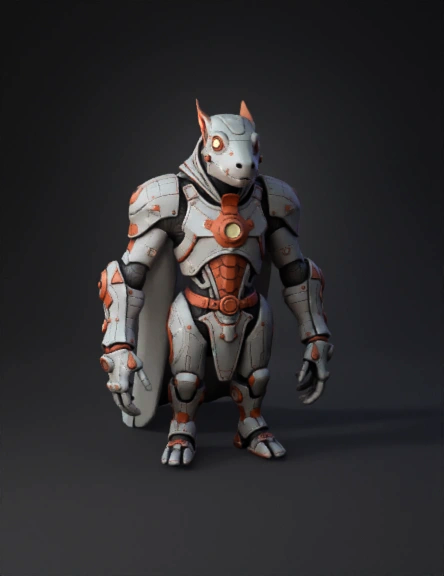
robotic creature 3d model
Tags
creatures animals
creatures animals realistic
creatures animals rendering
creatures animals rendering realistic
realistic
rendering
rendering realistic
robotic creature
Prompt
Based on the plugin.cfg file you uploaded, it looks like you are setting up a Godot Engine plugin to integrate the Tripo AI assets we discussed. If you are asking "Is it correct?", it is mostly correct, but there are two small syntax errors that might cause Godot to fail to load the plugin: 1. The Path Syntax (Critical) In your script line: script="core//tripo-godot-plugin.gd" You have a double slash // after core. This is likely a typo. Correction: Change it to a single slash: script="core/tripo-godot-plugin.gd" Note: Ensure that the folder core is in the exact same directory as your plugin.cfg, and that the file tripo-godot-plugin.gd is inside that folder. 2. The Typo (Visual) In your description: description="Godot pulgin for Tripo AI." Correction: Change pulgin to plugin. Corrected Code Block Here is the clean version you should save: Ini, TOML [plugin] name="tripo-godot" description="Godot plugin for Tripo AI." author="vast" version="0.02" script="core/tripo-godot-plugin.gd" Next Step Once you save this file, you need the actual GDScript file (tripo-godot-plugin.gd) to handle the API calls to Tripo. Would you like me to write the tripo-godot-plugin.gd script for you? I can make it so it accepts your API key and downloads the 3D models directly into your project.
Detailed Info
Related Models
Enter invite code
Enter invite code to get credits!
 Anonymous1769580446


 Anonymous1769580446