3D Workspace
Home
Assets
Affiliate Program
Sign up/Log in
?
Upgrade
DCC Bridge
Anonymous1758972965
09-27 11:37
Model Name
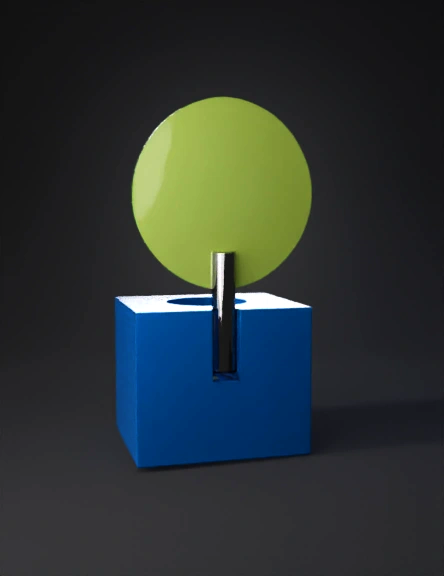
blue cube 3d model
Tags
blue cube
bolt shaped
capsule shaped
cone shaped
disc shaped
hole
props
props realistic
props rendering
props rendering realistic
realistic
rendering
rendering realistic
rod shaped
Prompt
Construct the rectangular base (Part 1) for the chair by creating a new coordinate system with Euler angles of (0.0, 0.0, 0.0) and a translation vector of (0.0563, 0.0, 0.2812). Next, create a 2D sketch on this coordinate system using a rectangular face with the following loops: 1. Loop 1 a. Line 1: Start Point (0.0, 0.0), End Point (0.5625, 0.0) b. Line 2: Start Point (0.5625, 0.0), End Point (0.5625, 0.4818) c. Line 3: Start Point (0.5625, 0.4818), End Point (0.0, 0.4818) d. Line 4: Start Point (0.0, 0.4818), End Point (0.0, 0.0) After creating the shape, scale the sketch by a factor of 0.5625. Then, extrude the sketch by 0.0938 units in the positive Z direction, creating a new solid body using the "NewBodyFeatureOperation" operation. For Part 2, create a cylindrical cutout in the base. Begin by creating a new coordinate system with Euler angles of (0.0, 0.0, 0.0) and a translation vector of (0.0563, 0.3881, 0.375). Next, create a 2D sketch on this coordinate system using a rectangular face with the following loops: 1. Loop 1 a. Line 1: Start Point (0.0, 0.0), End Point (0.5625, 0.0) b. Line 2: Start Point (0.5625, 0.0), End Point (0.5625, 0.0938) c. Line 3: Start Point (0.5625, 0.0938), End Point (0.0, 0.0938) d. Line 4: Start Point (0.0, 0.0938), End Point (0.0, 0.0) Once this shape has been created, scale the sketch by a factor of 0.5625. Then, create a cylindrical cutout with a height of 0.375 units and a diameter slightly larger than the width of the rectangular shape. Use the "JoinFeatureOperation" operation for creating the new solid body. Create the backrest (Part 3) of the chair by setting up a new coordinate system with Euler angles of (0.0, 0.0, 180.0) and a translation vector of (0.0751, 0.1115, 0.2812). Next, create a 2D sketch on this coordinate system using a circular face with the following loop: 1. Loop 1 a. Circle: Center (0.0469, 0.0469), Radius (0.0469) Scale the sketch by a factor of 0.0938, then extrude the sketch by 0.2812 units in the positive Z direction and create a new solid body using the "JoinFeatureOperation" operation. Create the backrest leg (Part 4) by setting up a new coordinate system with Euler angles of (0.0, 0.0, 180.0) and a translation vector of (0.5045, 0.1115, 0.2812). Next,
Detailed Info
Related Models
Enter invite code
Enter invite code to get credits!
 Anonymous1758972965


 Anonymous1758972965