3D Workspace
Home
Assets
Affiliate Program
Creator Program
Sign up/Log in
View Plans
DCC Bridge
Anonymous1760429221
10-14 08:24
Model Name
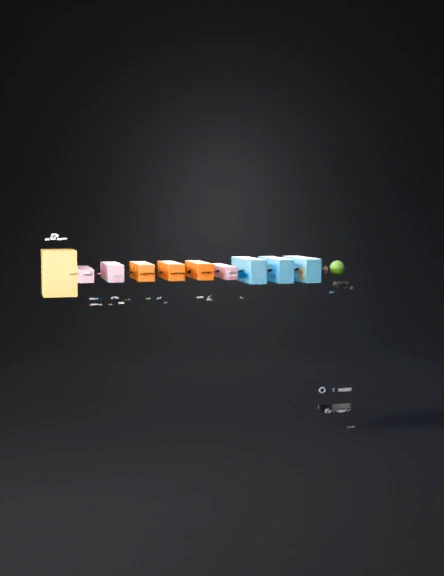
cnn architecture 3d model
Tags
architecture
architecture rendering
architecture rendering stylized
architecture stylized
block
block shaped
blocks
network diagram
rendering
rendering stylized
stylized
Input
Prompt
3D CNN Architecture Model Specification 1. Input Layer Shape: Rectangular block Dimensions: 224 × 224 × 3 Color: Light yellow (#FFF5CC) Label: Input (224×224×3) Position: Leftmost side of the model 2. Convolutional and Pooling Layers Each convolutional layer is represented by stacked orange blocks, followed by a thin pink pooling layer. Layer Output Size Type Color Depth (Thickness) conv1 224×224×64 Convolutional + ReLU #FFD9B3 Medium pool1 112×112×64 Max Pooling #FFCCCC Thin conv2 112×112×128 Convolutional + ReLU #FFD9B3 Medium pool2 56×56×128 Max Pooling #FFCCCC Thin conv3 56×56×256 Convolutional + ReLU #FFD9B3 Medium conv4 28×28×512 Convolutional + ReLU #FFD9B3 Medium conv5 14×14×512 Convolutional + ReLU #FFD9B3 Medium pool5 7×7×512 Max Pooling #FFCCCC Thin 3. Fully Connected Layers Represented by blue rectangular prisms aligned horizontally. Layer Neurons Color Depth fc6 4096 #CCE5FF Thick fc7 4096 #CCE5FF Thick fc8 1000 #CCE5FF Medium 4. Output Layer Shape: Small cube or sphere Label: Softmax (1000 classes) Color: Light green (#CCFFCC) Position: Rightmost end 5. Layout and Arrangement Arrange all layers from left to right in sequence. Use depth (Z-axis) to represent the number of feature maps — thicker blocks for deeper layers. Add connecting arrows between layers to show data flow. Use transparency (30–50%) for pooling layers to visually separate them. Add labels above each block (e.g., conv1, pool1, fc6). 6. Color Legend Layer Type Color Convolutional + ReLU #FFD9B3 (light orange) Max Pooling #FFCCCC (light pink) Fully Connected + ReLU #CCE5FF (light blue) Softmax #CCFFCC (light green) 7. How to Build in Canva Open a new design with a wide layout (e.g., 1920×1080). Use 3D rectangular shapes for each layer. Apply the colors and labels as listed above. Add arrows between layers to indicate flow. Group each convolutional block (conv + pool) for easy alignment. Add a legend box in the corner with the color key.
Detailed Info
Related Models
Enter invite code
Enter invite code to get credits!
 Anonymous1760429221


 Anonymous1760429221