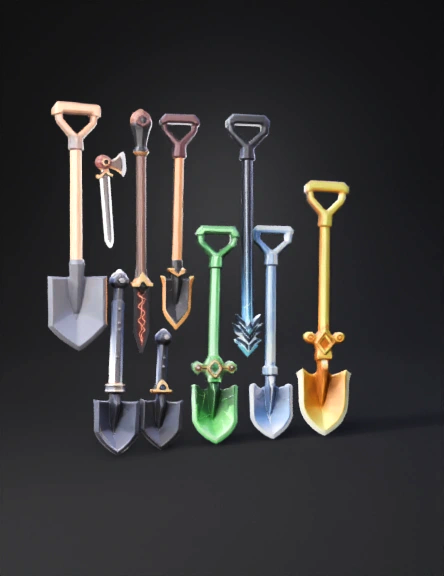
shovel 3d model
Create 20 separate 3D models of SHOVELS only. IMPORTANT RULES: - Every model MUST be a shovel. - Every shovel MUST have a visible handle and a shovel blade. - Do NOT change the weapon type. - Do NOT turn it into a sword, axe, or other tool. - The silhouette must clearly be a shovel. - Each model must be game-ready for Roblox Studio. Style: Roblox low-poly, clean geometry, slightly stylized. Optimized meshes. Clear readable silhouette. Separate model for each rarity. Base Structure (ALL 20): - Long straight handle - Grip area - Distinct shovel blade at end - Proper proportions Now create rarity progression: 1. Common – Plain wooden handle, simple gray blade. 2. Uncommon – Slight metal shine, small colored grip. 3. Rare – Polished blade, subtle glow accent. 4. Very Rare – Dark metal with thin glowing line. 5. Epic – Purple edge glow. 6. Legendary – Gold trim + glowing cracks. 7. Mythic – Obsidian blade + red glow core. 8. Divine – White and gold + soft aura. 9. Celestial – Galaxy texture inside blade. 10.
4K·PBR·v3.1-20260211


