View Plans
Brand Logo 3d Model: Create A 3D CAD Model Based On This Logo. Use A Rectangular Frame Split Into Two | Tripo AI

brand logo 3d model

Input
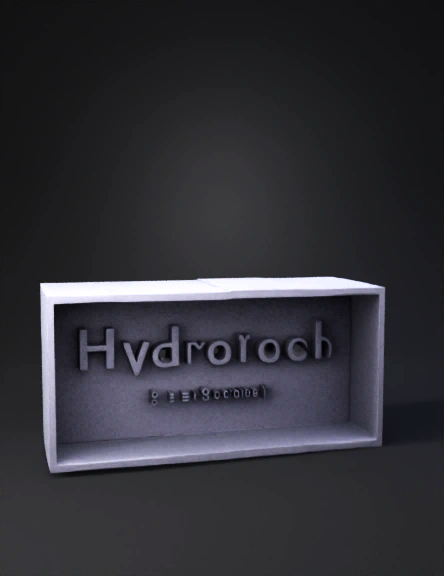
Input image for 3D model generation
Prompt

Create a 3D CAD model based on this logo. Use a rectangular frame split into two halves: the left half of the border in white and the right half in black, with a clean dividing line at the center. Inside the frame, extrude the word 'Hydrotech' using a geometric sans-serif font similar to Poppins Regular, with smooth rounded edges. Beneath it, add the smaller text '3dchennai' in the same font. The background should be a solid deep blue (#1826A3). The frame should be extruded slightly outward, while the text should be raised with clean, sharp edges. Produce a precise 3D CAD-ready model using solid geometry, maintaining the layout proportions exactly as in the reference image.

v3.0-20250812

Related Models
3d model: golden female statue with red satin dress highly reflective metallic3d model: white makeup vanity with illuminated mirror and left side drawers3d model: spiral sculpture abstract wireframe texture in black and white3d model: red off road vehicle with roof rack large tires winch and rugged bu3d model: chrome script logo with smooth metallic surface in silver3d model: six blade neon green translucent plastic propeller3d model: airplane fuselage with engines and wings in white livery bearing Canad3d model: gold coin on pedestal featuring a leaping deer motif rich metallic te3d model: white abstract sculpture with layered fan like ruffles and textured s3d model: woman figure standing with arms outstretched wearing pink sleeveless n