3D Workspace
Home
Assets
Affiliate Program
Creator Program
Sign up/Log in
View Plans
DCC Bridge
patresm12
02-14 09:39
Model Name
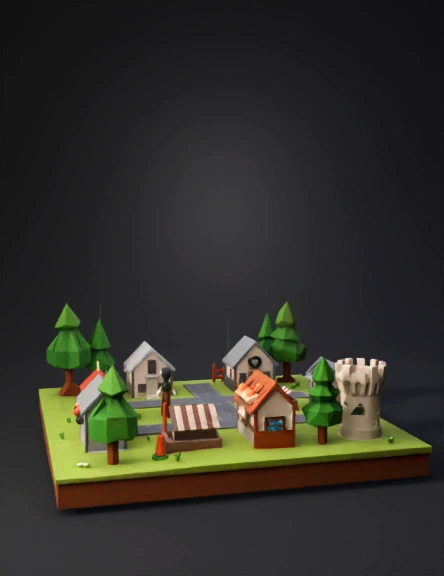
medieval village 3d model
Tags
architecture
architecture game asset
architecture game asset stylized
architecture stylized
game asset
game asset stylized
medieval village
stylized
Prompt
Create a 3D medieval village, low-poly, game-ready. Include: houses, wells, fences, trees, roads, market stalls, and a small castle. Export all models as GLB/GLTF files ready for Godot. Ensure each object is separate, with correct pivot points for placement. Optimize geometry for mobile and desktop. Organize objects into folders: Houses, Props, Trees, Roads. Additionally, create a basic Godot scene setup: Place a player character placeholder (capsule or simple humanoid) in the village. Set up a third-person camera that follows the player. Add basic navigation points or walkable areas for the player. Include simple colliders for buildings, trees, and props. Provide example scripts or node structure for player movement and camera control in Godot. Make the scene modular so the village can be expanded easily. Keep textures simple and materials lightweight (mobile-friendly). Provide everything ready to import into Godot 4.x.
Detailed Info
Related Models
Enter invite code
Enter invite code to get credits!
 patresm12


 patresm12