3D Workspace
Home
Assets
Affiliate Program
Sign up/Log in
?
Upgrade
DCC Bridge
Anonymous1763117964
11-14 11:00
Model Name
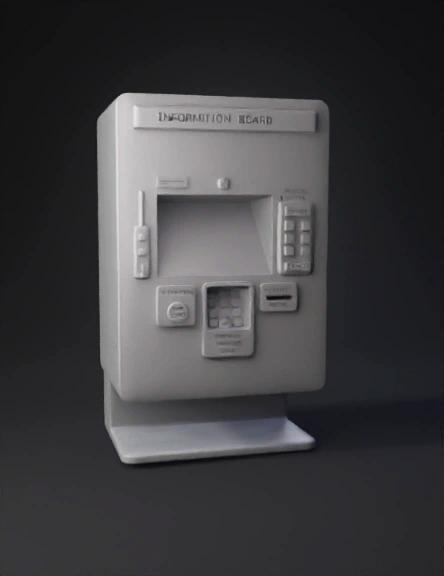
public information kiosk 3d model
Tags
display
information board
machine
machine realistic
machine rendering
machine rendering realistic
realistic
rendering
rendering realistic
Input
Prompt
Create a 3D model of a modern public information kiosk based on the uploaded sketch. The kiosk should have a clean rectangular front panel with rounded edges, a large central touchscreen display with a slightly recessed bezel, and a top header labeled “INFORMATION BOARD”. Include: • A vertical accessibility control bar on the left with three circular buttons. • A speech icon and microphone above the screen. • A physical button panel on the right with START and CANCEL buttons and a numeric-style layout. • A tap card module on the lower left labeled “TAP HERE”. • A tactile keypad in the center for visually impaired users, with raised keys. • A receipt printer slot on the lower right. • A wide bottom base panel for structural support. Design language should be minimal, clean, and ergonomic. Use soft matte materials, light grey body color, and subtle shadows. Maintain the exact layout and proportions from the sketch, but interpret it into a realistic 3D object. Do not add extra UI elements. Keep it true to the drawing.
Detailed Info
Related Models
Enter invite code
Enter invite code to get credits!
 Anonymous1763117964


 Anonymous1763117964