3D Workspace
Home
Assets
Affiliate Program
Sign up/Log in
?
Upgrade
DCC Bridge
Anonymous1764110686
11-25 23:07
Model Name
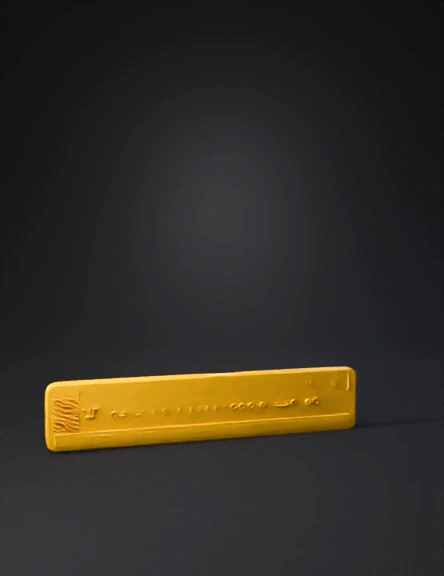
yellow ruler 3d model
Tags
props
rendering
realistic
Input
Prompt
Create a 3D-printable tactile Braille ruler with perfect ISO Braille proportions. The ruler must be a single flat bar, 180 mm long, 28 mm high and 3 mm thick, optimized for FDM printing, no supports. Add centimeter markings in tactile raised lines: short line every 10 mm, long line every 50 mm (3 mm tall, 1 mm wide, 0.5 mm relief). Below each centimeter mark, place a single Braille cell representing numbers 0 to 9 in sequence, using official Braille dot spacing and sizes: • Dot diameter: 1.4 mm • Dot height (relief): 0.5 mm • Horizontal spacing between dots: 2.5 mm • Vertical spacing between dots: 2.5 mm • Horizontal spacing between cells: 6 mm Correct Braille numbering: 1 = dot 1 2 = dots 1-2 3 = dots 1-4 4 = dots 1-4-5 5 = dots 1-5 6 = dots 1-2-4 7 = dots 1-2-4-5 8 = dots 1-2-5 9 = dots 1-4 0 = dots 1-2-4-5 Each Braille cell must be perfectly rectangular and aligned. Use hemispherical dots, no stretching. Export geometry suitable for PLA printing. Before the number sequence, add the Braille number indicator ⠼ (dots 3-4-5-6) with correct spacing.
Detailed Info
Related Models
Enter invite code
Enter invite code to get credits!