3D Workspace
Home
Assets
Affiliate Program
Sign up/Log in
?
Upgrade
DCC Bridge
Anonymous1772625475
03-04 12:19
Model Name
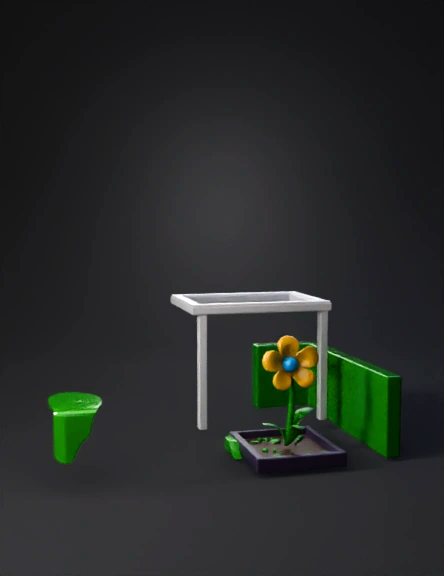
stylized low poly garden 3d model
Tags
diorama
game asset
game asset stylized
garden
garden scene
nature environment
nature environment game asset
nature environment game asset stylized
nature environment stylized
stylized
Input
Prompt
Create a complete enclosed stylized low poly 3D diorama environment. The scene must be a square box-shaped area with four tall hedge walls forming a closed boundary (front, back, left, right). The hedge walls must be thick, solid green, flat on the inside, and form a contained garden room. The floor must be a flat green grass plane covering the entire ground area inside the hedge walls. The background sky must be included as a vertical sky backdrop with bright blue color and soft stylized white clouds (do not omit the sky background). In the exact center of the area, place a rectangular raised garden bed with dark purple outer borders and brown soil surface inside. Inside the garden bed, place ONE simple stylized plant with: One curved green stem One single yellow five-petal flower A small circular blue center in the flower The flower must be flat, simple, and cartoon-like, not realistic. Above the garden bed, create a simple white pergola made of four vertical posts and horizontal beams on top. On the left side of the garden area, place a small rectangular control panel with one red circular button and one green circular button. All objects must be separate meshes: hedge walls, grass floor, sky background, garden bed, plant, pergola, control panel. The style must be very simple, clean, low poly, optimized for Roblox. Do not omit the hedge walls, grass floor, or sky background.
Detailed Info
Related Models
Enter invite code
Enter invite code to get credits!
 Anonymous1772625475


 Anonymous1772625475