3D Workspace
Home
Assets
Affiliate Program
Sign up/Log in
?
Upgrade
DCC Bridge
Anonymous1775554130
04-07 09:45
Model Name
3d pipeline model
Tags
modern
pipeline system
props
props modern
props rendering
props rendering modern
rendering
rendering modern
Prompt
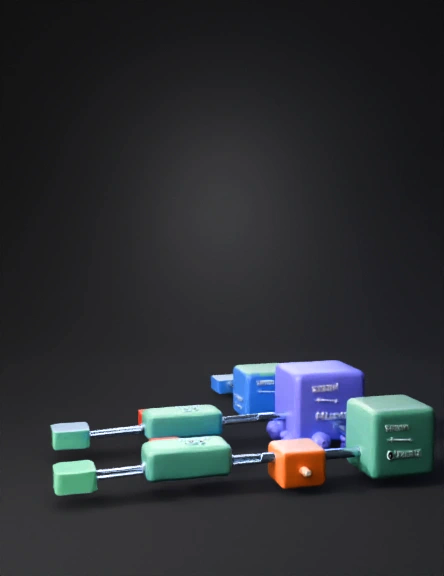
Create a detailed 3D low-poly scene representing a scalable file ingestion pipeline architecture. The scene should be clean, modern, and suitable for a technical system design visualization. Layout: Use a left-to-right horizontal pipeline with depth (Z-axis) to represent parallel processing. Maintain clear spacing, symmetry, and readability. Use a dark theme with soft lighting and minimalistic design. Main Flow Components: 1. JobRunner (small cube, entry point on far left) - Include floating text elements: fileName, fileType, lineCount, fileId, executionDate 2. JobConfiguration (medium cube next to JobRunner) - Display configuration attributes: gridSize, chunkSize, retryLimit, maxSkipCount - Styled as a control/configuration hub 3. JobPartitioner (larger cube) - Visually split into multiple outgoing paths - Surround with a cluster of small spheres representing a thread pool Parallel Processing Layer: - Create 3–4 parallel lanes extending from JobPartitioner - Arrange lanes vertically or along depth (Z-axis) to show concurrency Each lane contains: - FileReader (cube) with label “Read file → DTO” - FileProcessor (cube) with label “DTO → Entity, Validation, Enrichment” - FileWriter (cube) with label “Insert / Select-Update” Side Components: - ProcessorListener (small red node near FileProcessor) labeled “Error Log” - WriterListener (small red node near FileWriter) labeled “Retry + Error Log” Final Stage: - Merge all lanes into JobCompletionListener (cube) Label: “Checksum + Status” - Connect to JobStatusNotifier (final node) Label: “Notify Orchestrator Service” Connections: - Use smooth 3D pipes or glowing lines to connect components - Show branching from JobPartitioner to parallel lanes - Show merging flow into completion stage - Include side connections for error/retry listeners Styling: - Use rounded cubes and soft edges - Apply color coding: Blue for control (JobRunner, JobConfiguration) Purple for JobPartitioner and thread pool Green for processing components (Reader, Processor, Writer) Red for listeners (error/retry) Orange for completion and notifier - Add subtle glow or emissive materials for active flow paths Scene Details: - Include a base platform/grid for alignment - Add depth and shadows for realism - Maintain a clean, uncluttered look (avoid excessive detail) - Ensure all labels are readable and well-positioned Goal: The final 3D model should clearly represent a multi-threaded batch ingestion system with parallel execution, error handling, retry logic, and final job status notification, suitable for presentations and architecture visualization. "reduce object density, increase spacing, focus on clarity". "include clear text labels on each component" . "use simple cubes and geometric primitives only".
Detailed Info
Related Models
Enter invite code
Enter invite code to get credits!
 Anonymous1775554130


 Anonymous1775554130