3D Workspace
Home
Assets
Affiliate Program
Sign up/Log in
?
Upgrade
DCC Bridge
Anonymous1777411776
04-28 22:02
Model Name
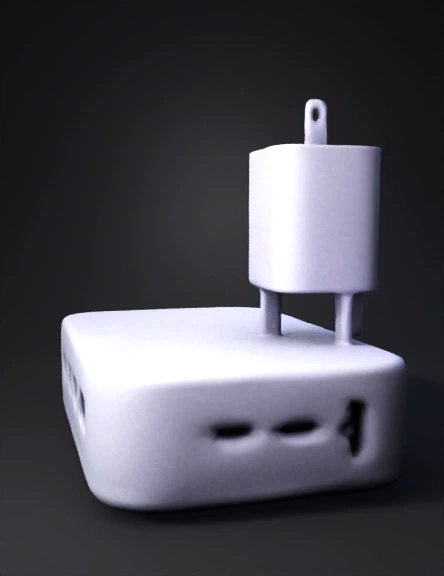
charging brick 3d model
Tags
charging
props
props realistic
props rendering
props rendering realistic
realistic
rendering
rendering realistic
usb connector
usb ports
Prompt
Create a full 3D model of a compact rectangular charging brick. The brick should be about 60 mm wide, 35 mm tall, and 20 mm thick, with smooth rounded edges and a clean, modern look. Use a white, gray, or light‑colored material to make it look like a home wall charger. On the front face, add three built‑in charging connectors: • One USB‑C connector • One Lightning connector • One Micro‑USB connector Space them evenly and make them slightly stylized so they are easy to see. On the left and right sides of the brick, add a total of five extra ports for plugging in additional cables or add‑on wires. These ports should be rectangular, USB‑style openings, arranged neatly in a row on each side. On the back, add a simple wall‑plug block shaped like a standard plug adapter.
Detailed Info
Related Models
Enter invite code
Enter invite code to get credits!
 Anonymous1777411776


 Anonymous1777411776