3D Workspace
Home
Assets
Affiliate Program
Creator Program
Sign up/Log in
View Plans
DCC Bridge
Anonymous1761304162
02-26 06:22
Model Name
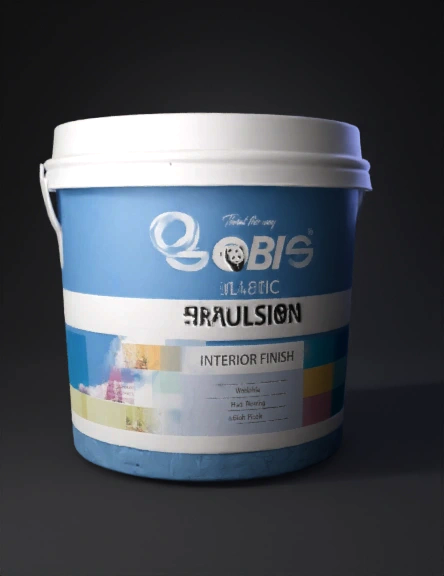
paint bucket 3d model
Tags
paint bucket
props
props realistic
props rendering
props rendering realistic
realistic
rendering
rendering realistic
Input
Prompt
Create a high-quality, photorealistic 3D model based on the provided reference image. Accurately match the object’s proportions, scale, contours, and fine surface details. Use clean quad-based topology suitable for subdivision. Maintain proper edge flow and smooth curvature where required, with sharp edges supported by bevel modifiers. Apply physically based rendering (PBR) materials including Base Color, Roughness, Metallic, Normal, and Height maps where appropriate. Ensure accurate texture alignment and UV unwrapping without distortion. Set up realistic studio lighting using a three-point light system (Key, Fill, Rim) or HDRI environment lighting. Render using Cycles engine with global illumination enabled, soft shadows, ray tracing, and subtle reflections. Neutral background (light grey or white), product visualization style, ultra-detailed, 4K resolution, photorealistic output.
Detailed Info
Related Models
Enter invite code
Enter invite code to get credits!
 Anonymous1761304162


 Anonymous1761304162