3D Workspace
Home
Assets
Affiliate Program
Creator Program
Sign up/Log in
View Plans
DCC Bridge
mateocusmme
01-21 09:11
Model Name
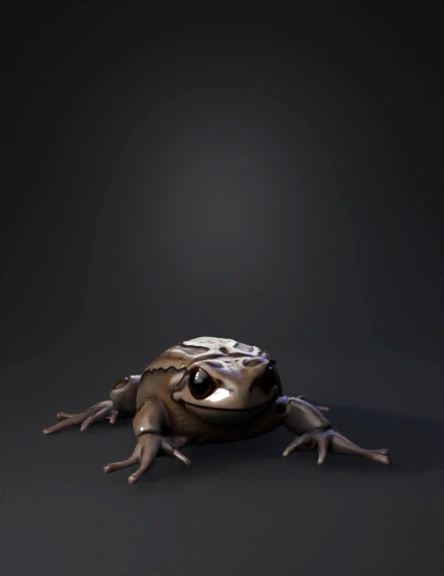
frog 3d model
Tags
amphibian
creatures animals
creatures animals realistic
creatures animals rendering
creatures animals rendering realistic
frog
realistic
rendering
rendering realistic
Input
Prompt
Create a hyper-realistic 3D model render of the frog shown in the reference image. The frog must be strictly based on the provided photo only, without adding, removing, or inventing any anatomical features. Make the frog perfectly symmetrical left-to-right, ensuring that the right side of the body is an exact mirror of the left side, while preserving all visible details from the image. Carefully replicate the finger positioning and anatomy: – Front fingers slightly open and relaxed, separated as in the reference – Rear fingers longer, spread outward, with realistic curvature and proportions – Visible finger pads, joints, and natural spacing Reproduce the facial details exactly: – Bulging, glossy eyes with correct placement – Short, rounded snout – Natural folds around the mouth and head Skin must appear wet and semi-glossy, with high-detail texture. Maintain the exact dorsal pattern, including irregular dark patches, soft edges, and subtle greenish tones on the limbs. Do not create holes, cavities, side indentations, or exaggerated volumes that are not visible in the reference image. Render the frog in a top-down angled view (picado view), showing the entire body clearly, centered in the frame. Use neutral, realistic lighting and a clean, simple background to emphasize anatomical accuracy and surface detail. Output should look like a real photographed frog, not stylized or cartoonish.
Detailed Info
Related Models
Enter invite code
Enter invite code to get credits!
 mateocusmme


 mateocusmme