3D Workspace
Home
Assets
Affiliate Program
Sign up/Log in
?
Upgrade
DCC Bridge
3D Creation Made Simple
Text & Image to 3D Model in seconds
One-Click Texturing & Smart Detail Editing
Free Credits Monthly
Start Free
Anonymous1775422926
04-05 21:10
Model Name
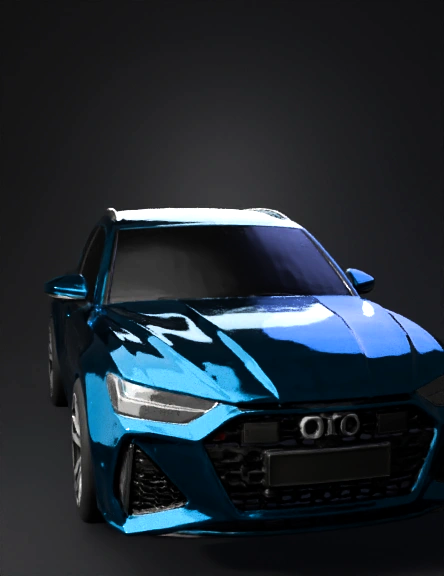
audi car 3d model
Tags
vehicle
rendering
realistic
Input
Prompt
FINAL INSTRUCTIONS – STRICTLY FOLLOW EVERY RULE. Generate a single orthographic image of a bmw x5m – [FRONT or REAR] view. RULES (NO EXCEPTIONS): 1. BACKGROUND: Pure white RGB(255,255,255). No floor, no tarmac, no horizon, no shadows, no reflections, no ambient occlusion. 2. PERSPECTIVE: Zero perspective. Orthographic projection only. Parallel lines stay parallel. For REAR view: front tyres must NOT be visible – only the rear of the car. For FRONT view: only the front. 3. CAR POSITION: Centered, perfectly symmetrical, fills 80% of the frame. 4. PAINT: Full colour photorealistic. Use manufacturer's flagship/hero colour. NO greyscale, NO black & white, NO sepia. 5. WINDOWS: Windscreen, rear window, side windows – completely blacked out (limo tint). No interior visible. No seats, no dashboard. Just solid black glass. 6. NUMBER PLATE PLINTH: Show the original factory plinth (recessed or raised, may be curved). The plinth must be blank – no letters, no numbers, no fake text. Just a smooth dark rectangle or curved panel ready for a real plate. 7. LIGHTING: Perfectly diffuse, flat lighting. NO shadows anywhere – not under mirrors, not under windows, not under the grille. NO reflections on paint, glass, or chrome. All surfaces matte. 8. NO TEXT, NO WATERMARKS, NO LOGOS – except the manufacturer badge (e.g., Mercedes star, BMW roundel) as a clean 3D shape without letters if possible. 9. RESOLUTION: 1024x1024 or higher, square aspect ratio, PNG format. If you cannot follow these rules, output a flat colour render with zero shading.
Detailed Info
Related Models
Enter invite code
Enter invite code to get credits!