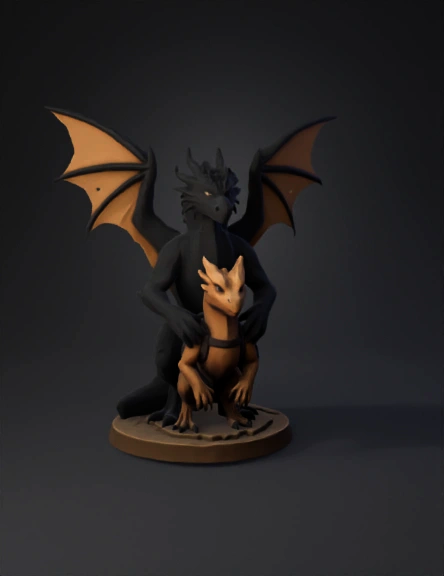
dragon figurine 3d model

Fix mesh artifacts only. Delete the extra protruding geometry on the right side of the leg near the tail and smooth the area so it blends naturally with the body. Close and fill the two small holes in the black dragon wings. Do not change the pose, proportions, or design of the dragon or the small creature. Output a clean, watertight 3D mesh with smooth surfaces suitable for 3D printing. Delete the extra protruding geometry on the right side of the leg near the tail and smooth the area so it blends naturally with the body. Close and fill the two small holes in the black dragon wings. Do not change the pose, proportions, or design of the dragon or the small creature. Output a clean, watertight 3D mesh with smooth surfaces suitable for 3D printing.
4K·PBR·v3.1-20260211


