3D Workspace
Home
Assets
Affiliate Program
Creator Program
Sign up/Log in
View Plans
DCC Bridge
22urec051
12-02 17:02
Model Name
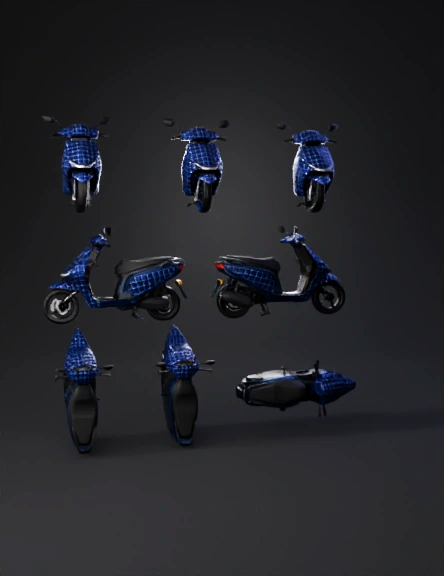
blue scooter 3d model
Tags
blue scooter
realistic
rendering
rendering realistic
vehicle
vehicle realistic
vehicle rendering
vehicle rendering realistic
Input
Prompt
Generate a full 360-degree multi-view model of the scooter based on the reference image. Create the following views clearly and separately: 1. Front view 2. Back view 3. Left side view 4. Right side view 5. Top view 6. Bottom view Maintain the exact same dark navy-blue base color and the white grid pattern seen in the reference image. Keep the grid lines straight, evenly spaced, and consistent on every angle without distortion. Apply the same pattern on all body panels: front panel, handle cover, side body panels, front mudguard, and lower body. The seat must remain plain matte black in all views. Do NOT change the scooter shape or design. Do NOT lighten or remove the dark blue color. Keep lighting neutral and background plain white. Provide clean, sharp, realistic output for all six angles.Use a pure white background for all angles including the back view. Do not use black or dark background.
Detailed Info
Related Models
Enter invite code
Enter invite code to get credits!
 22urec051


 22urec051