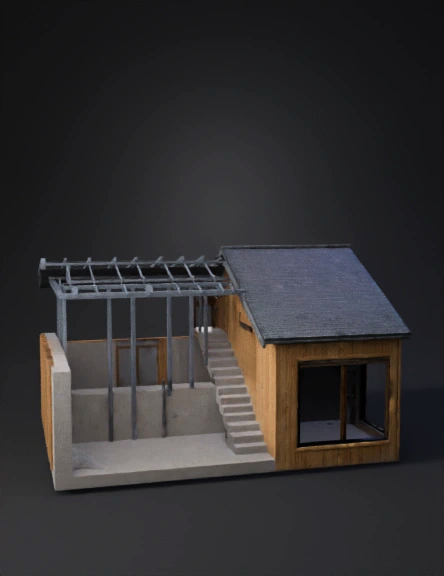
bahay 3d model
igawa mo ko ng structure ng Bahay (roof, wall, floor, stairs, doors, and windows) - Animation style – parang 3D model na lumilitaw bawat bahagi step by step. 🎬 Step-by-Step 3D Animation Flow - Foundation / Floor - Simulan sa simpleng flat plane (concrete slab). - Mag-zoom in habang lumilitaw ang texture ng sahig. - Walls - Ipakita ang pag-angat ng wall frames (steel o wood). - Unti-unting mag-fill in ng solid walls (cement o panels). - Pwede mong gawin na parang “fade in” o “extrude upward” effect. - Roof - Lumilitaw ang trusses (support beams). - Bubong na triangular o flat ay bumababa at kumakabit sa walls. - Magdagdag ng roof tiles o sheet metal texture. - Stairs - Kung may second floor, ipakita ang hagdan na unti-unting lumilitaw mula sa sahig pataas. - Steps ay nag-a-appear isa-isa. - Doors - Maglagay ng door frame. - Pumasok ang pinto na parang ini-slide papasok sa frame. - Windows - Frames muna, tapos lumilitaw ang glass panels. - Pwede mong idagdag ang reflection effect para mas realistic. 🎨 Ani
4K·PBR·v3.0-20250812


