3D Workspace
Home
Assets
Affiliate Program
Sign up/Log in
?
Upgrade
DCC Bridge
Anonymous1758544552
09-22 12:40
Model Name
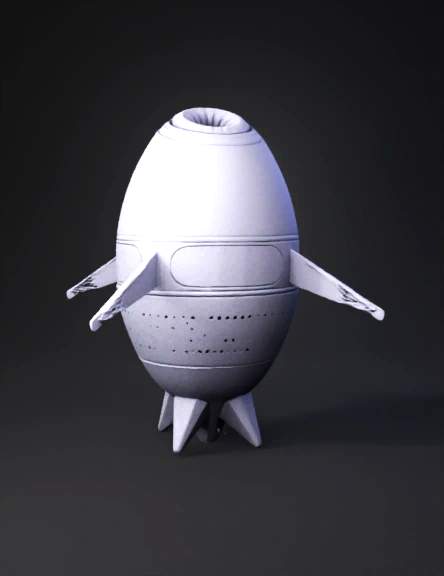
space rocket 3d model
Tags
import bpy
realistic
rendering
rendering realistic
space rocket
vehicle
vehicle realistic
vehicle rendering
vehicle rendering realistic
Input
Prompt
import bpy import math # ======================== # تنظيف المشهد الحالي # ======================== bpy.ops.object.select_all(action='SELECT') bpy.ops.object.delete(use_global=False) # ======================== # إنشاء الأرض # ======================== bpy.ops.mesh.primitive_uv_sphere_add(radius=10, location=(0,0,0)) earth = bpy.context.object earth.name = "Earth" bpy.ops.rigidbody.object_add() earth.rigid_body.type = 'PASSIVE' # ======================== # إنشاء مسار المدار # ======================== bpy.ops.curve.primitive_bezier_circle_add(radius=15, location=(0,0,0)) orbit = bpy.context.object orbit.name = "OrbitPath" # ======================== # إنشاء المركبة # ======================== bpy.ops.mesh.primitive_cube_add(size=1, location=(15,0,0)) craft = bpy.context.object craft.name = "Mothercraft" # Empty كمحور الحركة bpy.ops.object.empty_add(type='PLAIN_AXES', location=(0,0,0)) empty_craft = bpy.context.object empty_craft.name = "CraftCenter" craft.parent = empty_craft # Physics للمركبة bpy.ops.rigidbody.object_add() craft.rigid_body.type = 'ACTIVE' craft.rigid_body.mass = 50 craft.rigid_body.collision_shape = 'BOX' # Follow Path Constraint follow_path = empty_craft.constraints.new('FOLLOW_PATH') follow_path.target = orbit follow_path.use_fixed_location = True follow_path.offset_factor = 0.0 # ======================== # إضافة الحطام # ======================== import random for i in range(15): x = random.uniform(-20,20) y = random.uniform(-20,20) z = random.uniform(-5,5) bpy.ops.mesh.primitive_uv_sphere_add(radius=0.3, location=(x,y,z)) debris = bpy.context.object debris.name = f"Debris_{i+1}" bpy.ops.rigidbody.object_add() debris.rigid_body.type = 'ACTIVE' debris.rigid_body.mass = random.uniform(1,3) debris.rigid_body.collision_shape = 'SPHERE' # ======================== # Force Field عند فتحة المركبة # ======================== bpy.ops.object.forcefield_toggle() magnet = bpy.context.object magnet.name = "Magnet" magnet.field.type = 'MAGNET' magnet.field.strength = 100 magnet.location = (15,0,0) # عند فتحة المركبة magnet.parent = empty_craft # ======================== # الكاميرا # ======================== bpy.ops.object.camera_add(location=(0,-40,20)) cam = bpy.context.object cam.name = "Camera" track = cam.constraints.new('TRACK_TO') track.target = craft track.track_axis = 'TRACK_NEGATIVE_Z' track.up_axis = 'UP_Y' bpy.context.scene.camera = cam # ======================== # الإضاءة # ======================== bpy.ops.object.light_add(type='SUN', location=(0,0,50)) sun = bpy.context.object sun.data.energy = 3 # ======================== # إعدادات المشهد # ======================== bpy.context.scene.frame_start = 1 bpy.context.scene.frame_end = 250 bpy.context.scene.render.fps = 24 print("Setup complete! Press Play to see the simulation.")
Detailed Info
Related Models
Enter invite code
Enter invite code to get credits!
 Anonymous1758544552


 Anonymous1758544552