3D Workspace
Home
Assets
Affiliate Program
Sign up/Log in
?
Upgrade
DCC Bridge
Anonymous1762268297
11-04 15:42
Model Name
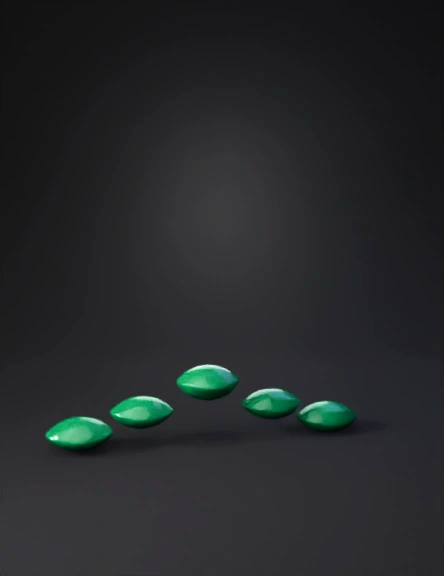
continentes 3d modelo
Tags
import bpy
nature environment
nature environment rendering
nature environment rendering stylized
nature environment stylized
rendering
rendering stylized
stylized
Prompt
import bpy import math # ----------------------------- # CONFIGURACIÓN GENERAL # ----------------------------- frame_start = 1 frame_end = 250 # 10 segundos a 25 fps # Lista de continentes con posición final (x, y, z) continentes = { "África": (2, 0, 0), "Sudamérica": (-4, -2, 0), "América del Norte": (-6, 3, 0), "Eurasia": (4, 4, 0), "India": (3, -1, 0), "Australia": (6, -3, 0), "Antártida": (0, -6, 0) } # ----------------------------- # LIMPIAR ESCENA # ----------------------------- bpy.ops.object.select_all(action='SELECT') bpy.ops.object.delete(use_global=False) # ----------------------------- # CREAR OCÉANO # ----------------------------- bpy.ops.mesh.primitive_plane_add(size=60, location=(0, 0, -0.1)) ocean = bpy.context.active_object ocean.name = "Oceano" # Material de océano con reflejos mat_ocean = bpy.data.materials.new(name="Oceano_Material") mat_ocean.use_nodes = True nodes = mat_ocean.node_tree.nodes links = mat_ocean.node_tree.links # Limpia nodos for n in nodes: nodes.remove(n) # Crea nodos personalizados output = nodes.new("ShaderNodeOutputMaterial") principled = nodes.new("ShaderNodeBsdfPrincipled") principled.inputs['Base Color'].default_value = (0.0, 0.3, 0.6, 1) principled.inputs['Transmission'].default_value = 0.5 principled.inputs['Roughness'].default_value = 0.2 links.new(principled.outputs["BSDF"], output.inputs["Surface"]) ocean.data.materials.append(mat_ocean) # ----------------------------- # CREAR CONTINENTES # ----------------------------- for name, final_pos in continentes.items(): # Crear esfera base bpy.ops.mesh.primitive_uv_sphere_add(radius=1, location=(0, 0, 0)) obj = bpy.context.active_object obj.name = name obj.scale = (1.5, 1, 0.2) # Material tipo tierra mat = bpy.data.materials.new(name=name+"_Material") mat.use_nodes = True bsdf = mat.node_tree.nodes["Principled BSDF"] bsdf.inputs['Base Color'].default_value = (0.25, 0.6, 0.25, 1) bsdf.inputs['Roughness'].default_value = 0.8 obj.data.materials.append(mat) # Animación de posición obj.location = (0, 0, 0) obj.keyframe_insert(data_path="location", frame=frame_start) obj.location = final_pos obj.keyframe_insert(data_path="location", frame=frame_end) # Rotación suave obj.rotation_euler = (0, 0, 0) obj.keyframe_insert(data_path="rotation_euler", frame=frame_start) obj.rotation_euler = (0, 0, math.radians(90)) obj.keyframe_insert(data_path="rotation_euler", frame=frame_end) # Etiqueta bpy.ops.object.text_add() text_obj = bpy.context.active_object text_obj.data.body = name text_obj.location = (0, 0, 1.5) text_obj.scale = (0.5, 0.5, 0.5) text_obj.parent = obj # ----------------------------- # CREAR CÁMARA Y ANIMAR ÓRBITA # ----------------------------- bpy.ops.object.empty_add(type='PLAIN_AXES', location=(0, 0, 0)) pivot = bpy.context.active_object pivot.name = "Pivot_Camara" bpy.ops.object.camera_add(location=(0, -25, 12), rotation=(math.radians(65), 0, 0)) camera = bpy.context.active_object camera.parent = pivot bpy.context.scene.camera = camera # Animación de giro de la cámara (órbita alrededor) pivot.rotation_euler = (0, 0, 0) pivot.keyframe_insert(data_path="rotation_euler", frame=frame_start) pivot.rotation_euler = (0, 0, math.radians(120)) pivot.keyframe_insert(data_path="rotation_euler", frame=frame_end) # ----------------------------- # ILUMINACIÓN # ----------------------------- bpy.ops.object.light_add(type='SUN', location=(0, 0, 25)) light = bpy.context.active_object light.data.energy = 4 light.data.angle = math.radians(15) # Luz suave ambiental bpy.context.scene.world.use_nodes = True world = bpy.context.scene.world nodes = world.node_tree.nodes links = world.node_tree.links bg = nodes.get("Background") bg.inputs[0].default_value = (0.2, 0.4, 0.7, 1) bg.inputs[1].default_value = 1.2 # ----------------------------- # SUAVIZAR INTERPOLACIÓN # ----------------------------- for obj in bpy.context.scene.objects: if obj.animation_data and obj.animation_data.action: for fcurve in obj.animation_data.action.fcurves: for key in fcurve.keyframe_points: key.interpolation = 'BEZIER' # ----------------------------- # CONFIGURACIÓN FINAL DE ESCENA # ----------------------------- scene = bpy.context.scene scene.frame_start = frame_start scene.frame_end = frame_end scene.render.fps = 25 scene.render.engine = 'BLENDER_EEVEE_NEXT' # Eevee moderno scene.view_settings.look = 'Medium High Contrast'
Detailed Info
Related Models
Enter invite code
Enter invite code to get credits!
 Anonymous1762268297


 Anonymous1762268297