3D Workspace
Home
Assets
Affiliate Program
Sign up/Log in
?
Upgrade
DCC Bridge
Anonymous1779906541
05-27 18:41
Model Name
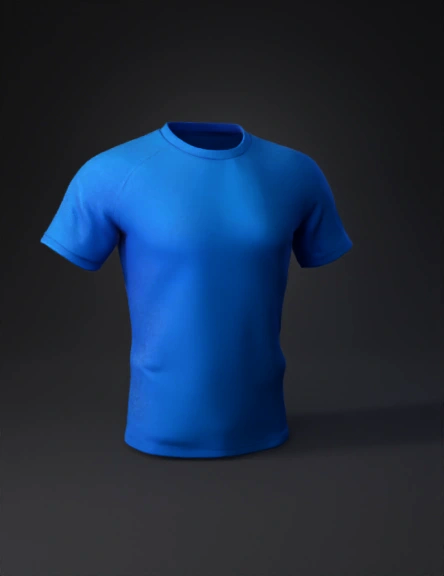
camiseta 3d modelo
Tags
clothing
rendering
realistic
Prompt
import bpy # Limpiar escena bpy.ops.object.select_all(action='SELECT') bpy.ops.object.delete(use_global=False) # Crear cuerpo base (maniquí simple tipo camiseta) bpy.ops.mesh.primitive_cylinder_add(vertices=64, radius=1, depth=2) shirt = bpy.context.object shirt.name = "Camiseta" # Dar forma de camiseta (ajuste básico) shirt.scale[0] = 1.05 shirt.scale[1] = 0.75 shirt.scale[2] = 1.2 # Crear material mat = bpy.data.materials.new(name="MaterialCamiseta") mat.use_nodes = True bsdf = mat.node_tree.nodes["Principled BSDF"] # Cargar textura (tu diseño) tex = mat.node_tree.nodes.new('ShaderNodeTexImage') tex.image = bpy.data.images.load("//tu_textura.png") mat.node_tree.links.new(bsdf.inputs['Base Color'], tex.outputs['Color']) # Asignar material shirt.data.materials.append(mat) # Iluminación básica bpy.ops.object.light_add(type='AREA', location=(3, 3, 3)) bpy.ops.object.light_add(type='AREA', location=(-3, -3, 3)) # Cámara bpy.ops.object.camera_add(location=(0, -4, 1.5)) camera = bp
Detailed Info
Related Models
Enter invite code
Enter invite code to get credits!