3D Workspace
Home
Assets
Affiliate Program
Creator Program
Sign up/Log in
View Plans
DCC Bridge
Anonymous1771203122
02-16 00:56
Model Name
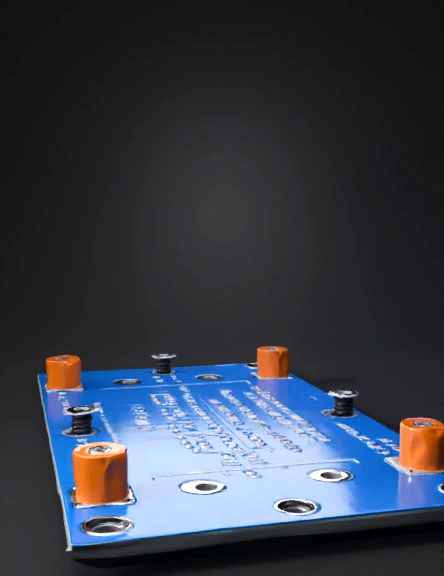
mounting plate 3d model
Tags
mounting plate
props
props realistic
props rendering
props rendering realistic
realistic
rendering
rendering realistic
Prompt
import cadquery as cq # Plate dimensions (slightly smaller than enclosure inside) plate_length = 240 # mm plate_width = 240 # mm plate_thickness = 5 # mm # PSU dimensions and standoff psu_x = 103 # mm hole spacing X psu_y = 50 # mm hole spacing Y psu_standoff_height = 8 # SR1 V5 units dimensions and standoff sr1_length = 100 sr1_width = 50 sr1_standoff_height = 8 # SR1 positions (side by side) sr11_pos = (20, 150) sr12_pos = (130, 150) # Mean Well PSU position psu_pos = (20, 50) # Create base plate plate = cq.Workplane("XY").box(plate_length, plate_width, plate_thickness) # Function to add standoffs for devices def add_standoff(wp, x, y, hole_spacing_x, hole_spacing_y, standoff_height, screw_hole=4): # four standoffs for device offsets = [(-hole_spacing_x/2, -hole_spacing_y/2), (-hole_spacing_x/2, hole_spacing_y/2), (hole_spacing_x/2, -hole_spacing_y/2), (hole_spacing_x/2, hole_spacing_y/2)] for dx, dy in offsets: wp = wp.faces(">Z").workplane().pushPoints([(x+dx, y+dy)]).cylinder(standoff_height, screw_hole) return wp # Add PSU standoffs plate = add_standoff(plate, psu_pos[0], psu_pos[1], psu_x, psu_y, psu_standoff_height) # Add SR1 V5 standoffs plate = add_standoff(plate, sr11_pos[0], sr11_pos[1], sr1_length, sr1_width, sr1_standoff_height) plate = add_standoff(plate, sr12_pos[0], sr12_pos[1], sr1_length, sr1_width, sr1_standoff_height) # Export to STL cq.exporters.export(plate, '/mnt/data/rni1500_mounting_plate.stl')
Detailed Info
Related Models
Enter invite code
Enter invite code to get credits!
 Anonymous1771203122


 Anonymous1771203122