3D Workspace
Home
Assets
Affiliate Program
Creator Program
Sign up/Log in
View Plans
DCC Bridge
Anonymous1775129093
04-02 11:37
Model Name
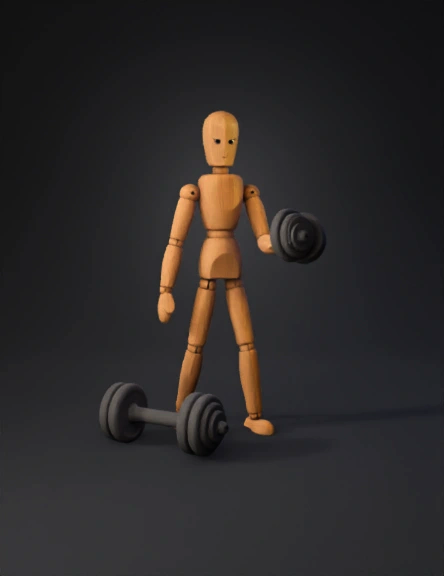
wooden mannequin 3d model
Tags
animation
animation realistic
character
character animation
character animation realistic
character realistic
realistic
wooden mannequin
Prompt
Modeling and Setting Up : Wooden Character : If you already have a 3D model of the wooden character, import it into Blender. If not, you can either create a basic shape or download one from sites like BlendSwap. Dumbbell : Create a simple dumbbell model using basic cylinders, and position it in front of the character. Setting the Scene : Place the character in a gym-like environment. Use dark, industrial textures to set the mood (metal, wood, concrete). Add some subtle lighting. A key light for the character and some ambient lights to highlight the environment. Animating the Character : Pose 1 (Relaxed) : Start with the character in a relaxed standing pose. Pose 2 (Determined Look) : Keyframe the character's head and eyes to look determined. You can animate the eyebrows and mouth to show a focused expression. Pose 3 (Bending Knees) : Animate the character bending its knees slightly, getting ready to lift the dumbbell. Pose 4 (Picking Up the Dumbbell) : Animate the character'
Detailed Info
Related Models
Enter invite code
Enter invite code to get credits!
 Anonymous1775129093


 Anonymous1775129093