3D Workspace
Home
Assets
Affiliate Program
Creator Program
Sign up/Log in
View Plans
DCC Bridge
mohamed5215971
01-21 21:53
Model Name
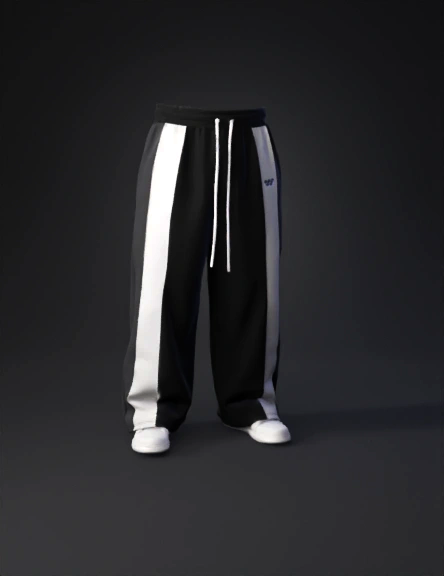
pants 3d model
Tags
clothing
clothing realistic
clothing rendering
clothing rendering realistic
pants
realistic
rendering
rendering realistic
Input
Prompt
Modify the existing t-shirt design based on the uploaCreate a high-quality 3D pants (trousers) model based exactly on the uploaded design image. Replicate the design 1:1 with no changes. Use the exact same colors, line placement, proportions, and details as shown in the image. • Pants base color: solid black (exact match) • Beige lines: same beige tone, same width, same exact positions • Same waist, leg width, length, and cut as the image Do not add, remove, or modify any design elements. Do not adjust colors, proportions, or style. Render as a realistic 3D garment with natural fabric folds. Clean topology suitable for fashion presentation. Neutral lighting and plain background. Strictly follow the uploaded image as the single source of truth.ded sketch. Keep the original t-shirt shape, fit, and proportions exactly the same. Design details: • T-shirt base color: solid black • Add a vertical beige line starting from the center of the neckline and going straight down to the bottom hem • Add one vertical beige line starting from the end of the right shoulder and going straight down to the bottom hem • Add one vertical beige line starting from the end of the left shoulder and going straight down to the bottom hem The lines should be clean, straight, and minimal. No additional graphics, patterns, or text. Keep the design modern, streetwear, and minimal. Render as a realistic 3D clothing model with soft fabric folds. Neutral lighting, plain background. Do not change anything else in the design.
Detailed Info
Related Models
Enter invite code
Enter invite code to get credits!
 mohamed5215971


 mohamed5215971