3D Workspace
Home
Assets
Affiliate Program
Creator Program
Sign up/Log in
View Plans
DCC Bridge
pujancool10
11-04 04:49
Model Name
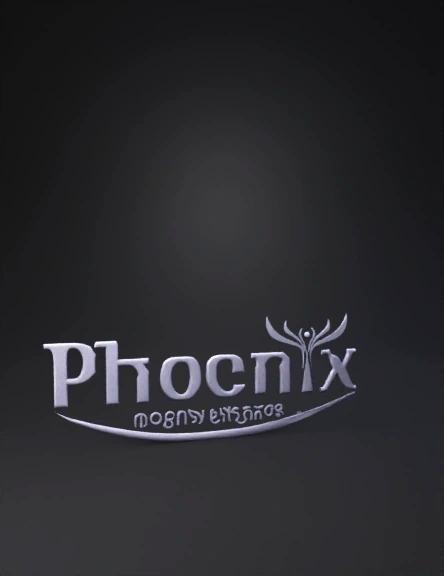
phoenix logo 3d model
Tags
abstract symbol
abstract symbol rendering
abstract symbol rendering stylized
abstract symbol stylized
phoenix logo
rendering
rendering stylized
stylized
Input
Prompt
Nice logo — lovely curves and color! Below I’ll give a clear production plan (what to build and why), followed by a ready-to-use, time-coded script you can drop into Blender/Cinema 4D + Octane/Redshift and finish in After Effects/DaVinci. I’ll include camera moves, lighting, materials, animation easing, sound cues, and export specs so the final clip looks cinematic and social-friendly. # High-level concept Make the “Phoenix” wordmark and the stylized phoenix mark emerge from a cinematic material-and-light reveal: the mark “rises” from a reflective stage while color accents flow across it (purple → magenta → gold). Use subtle 3D extrusion, soft reflections, and a shallow depth of field to feel premium and elegant. Keep motion smooth, slow-easing, and build to a short logo lock (the finished composition) for maximum brand recall. --- # Production pipeline (recommended) * Model / Scene: Blender or Cinema 4D for 3D text + emblem. Use bevels and layered geometry for the phoenix mark. * Renderer: Cycles, Eevee (for faster preview), or Octane/Redshift for production quality. * Compositing: Export multi-layer EXR (beauty, roughness, AO, Z-depth, specular) and finish in After Effects or DaVinci Resolve. * Sound: Use a short SFX pack (whoosh + glass chime + soft impact + ambience). Mix in Audition or directly in Premiere/Resolve. * Delivery: Render at 4K HQ master (3840×2160) then downscale to social sizes. --- # Style & Materials * Wordmark material: slightly satin black with very low metallic (0.05) and low roughness (0.25) so it’s matte but catches highlights. * Phoenix emblem: layered materials: * Base: polished ceramic/metal with anisotropic highlight for elegant sheen. * Color accents: emissive gradient layered (purple → magenta → gold) masked to the wings and central mark. * Stage/floor: glassy piano black floor with very subtle roughness (0.06) and a blurred reflection. * Environment: HDRI studio map — soft neutral studio with warm rim and cool fill. * Post: bloom, subtle film grain, lens vignette, chromatic aberration tiny, and cinematic color grade (lift midtones, warm highlights). --- # Lighting design * Three-point studio style: 1. Key: soft rectangular area light (warm, slightly golden) from upper right, medium intensity. 2. Fill: cool, large soft fill to left for subtle blue-cool tint. 3. Rim / kicker: bright warm rim from behind top center to accent phoenix wings. * Add a gentle ground rim (low intensity) to create a soft halo below the logo. * Use an additional subtle spot light that sweeps across the emblem during the reveal to create a color sweep. --- # Motion & Camera * Camera: 35–50mm (equivalent) focal length. Use slight perspective for depth. * Default camera movement: slow dolly in (zoom) and gentle rotation on Y-axis (±5–8°) during reveal. * Depth of Field: focus distance on the center of the phoenix; aperture f/2.8–f/4 for mild blur. * Motion blur: ON (shutter 0.5) for polish. * Easing: use S-curve (ease-in-out cubic) on all entrance/exit keyframes. --- # Animation phases and key ideas (overview) 1. **Opening atmosphere (0–1.5s)** — dark frame with vignette; ambient dust + micro-bokeh particles; slow ambient pad audio. 2. **Surface sweep / reveal (1.5–4s)** — a glossy color sweep (purple → magenta → gold) glides across the floor and reflects on hidden logo causing parts to catch and appear. 3. **Geometry reveal (4–7s)** — the wordmark extrudes/pops into place; the phoenix mark assembles from three pieces (left wing, right wing, center body) with slight elastic easing. 4. **Polish & shine (7–10s)** — a small camera dolly-in and a warm rim flare highlights the emblem; subtle particles and a sparkle at the crest. 5. **Logo lock (10–13s)** — final stable shot with tagline “elegant Apparels” revealed with fine kinetic type and soft fade; hold for 2–3s for social thumbnails. 6. **Outro (13–15s)** — gentle scale down + vignette and audio tail. --- # Visual/text effects to enhance brand impact * Color sweep ribbon that mimics a fabric ribbon following the phoenix wing curvature. * Animated micro-reflections traveling across the logo’s surface timed with reveal. * Kinetic typography: the tagline “elegant Apparels” appears via a subtle upward swipe and slight tracking-tight animation; use a refined serif or humanist font matching the wordmark. * Animated underline arc (matching the purple curve in logo) that draws itself from left to right and settles beneath the wordmark, then becomes part of the reflection. * Particle glints and a soft lens flare only at highlights (avoid heavy, gaudy flares). * Small dust/sparkle micro-particles to add depth; low density. --- # Audio cues * 0.0s ambient pad (low rumble) * 1.8s soft whoosh as color sweep begins * 3.5s per-piece “pop” chime for each phoenix piece * 7.5s bright glass/shimmer on logo lock * 13–15s reverb tail fade for outro --- # Export & social specs * Master: 3840×2160, 24 or 30 fps, ProRes 422 / PNG sequence / EXR for layers. * Social crops: 1:1 (1080×1080), 9:16 (1080×1920), 16:9 (1920×1080). Reframe camera slightly for vertical. * Length: 12–15s ideal (shorter for stories: 6–8s condensed reveal). * Deliverables: color-graded MP4 H.264 (high bitrate), WAV SFX, AE project with EXR passes. --- Now — the script you can paste into your production timeline (scene-by-scene with exact timings and on-screen copy). ```{"id":"54321","variant":"standard","title":"Phoenix Elegant Apparels — Logo Animation Script"} 00:00 — 00:01.5 | SCENE A — BLACK, AMBIENT INTRO - Visual: Full black frame with very faint studio ambience. Extremely subtle vignette. - Audio: Low ambient pad (soft, warm). - Camera: Static; focal 50mm; DOF shallow but out of focus. - Notes: Add tiny floating dust specks (opacity 6%). 00:01.5 — 00:04 | SCENE B — COLOR SWEEP REVEAL (THE RIBBON) - Visual: A glossy color ribbon (thin band with soft glow) sweeps left→right across the lower third. Colors: purple → magenta → warm gold gradient. The floor is a glossy piano black; the sweep creates a moving reflection before any geometry appears. - Camera: very slow dolly in (Z -10%); slight Y rotation (right to left 3°). - Lighting: animate a narrow spot light that follows the ribbon, causing highlights to flare across the floor. - Audio: soft whoosh synced to the ribbon’s movement. - Animation tips: ribbon should have motion with slight secondary wave (use curve modifier or deformers). Reflection on floor should be blurred (rough/blurred reflection pass). 00:04 — 00:06.5 | SCENE C — PHOENIX PIECE REVEAL (BUILD) - Visual: The phoenix mark is composed of three separate 3D plates: left wing, right wing, central body. They slide/scale in sequence: left wing (00:04.0 → 00:04.6), right wing (00:04.5 → 00:05.1), center rises (00:05.0 → 00:06.0). Each piece scales from 95% → 105% → 100% for a slight “pop”. - Lighting: a warm rim kicker hits each piece as it fully arrives, producing a micro-glint. - Camera: gentle Y rotation (total 6° across this segment). - Audio: three light chimes, each aligned to piece arrival; soft “materialize” whoosh. 00:06.5 — 00:08.5 | SCENE D — WORDMARK APPEAR (EXTRUDE & SMOOTH) - Visual: “Phoenix” wordmark extrudes from flat to 3D in 0.6s with a soft bevel reveal. Let the extrusion sweep left→right (mask reveal) so letters appear as if ink is being extruded and polished. - Underline curve (purple→magenta) draws itself below the word and then transforms into the reflection on the floor. - Lighting: key area light warms the center of the wordmark; soft blue fill from the left. - Audio: sub-impact followed by a low shimmering tone. 00:08.5 — 00:10 | SCENE E — MATERIAL SWEEP & FINAL SHINE - Visual: A micro-highlighter sweep travels across the whole logo from top-left to bottom-right, emphasizing the phoenix crest and top edges of letters. The sweep triggers a tiny lens sparkle at the phoenix head. - Materials: animate emissive intensity on the emblem’s color accents to flare 1.2x during sweep. - Camera: slight dolly-in (~+5% scale) and tighten DOF to focus center. - Audio: bright glass shimmer, soft whoosh. 00:10 — 00:12.5 | SCENE F — TAGLINE REVEAL & LOCK - Visual: Tagline “elegant Apparels” fades up from 0 → 100% and slides -6px → 0 with a tiny overshoot. Make it slightly smaller and letterspaced; keep color warm gold for “elegant” and subtle dark for “Apparels” (or match logo palette). - The underline arc finishes drawing and settles; reflection intensifies then gently blurs. - Camera: settles to final framing; slight, calm breathing scale (+0.8% oscillation over 3s). - Audio: warm piano tone and reverb tail; final chime at full lock. 00:12.5 — 00:15 | SCENE G — HOLD & OUTRO - Visual: Hold on the locked logo for brand recognition. After 1.5s, slowly ease out with subtle scale down -3% and vignette increase. - Audio: audio tail fades out (reverb → silence). - Export: freeze last frame for thumbnail use or add 0.5s black tail for cut. ANIMATOR NOTES (technical) - Keyframe easing: use Bezier S-curve (ease in/out) or cubic ease-in-out. For small pops use overshoot (elastic) but keep subtle (amplitude 0.08). - Motion blur: enable in render (shutter 0.5) — reduces perceived stutter on fast sweeps. - Render passes: beauty, diffuse, specular, roughness, emissive, AO, Z-depth. Export as EXR multilayer. - Post-processing (After Effects): 1. Composite passes; add gentle bloom (threshold set to highlights only). 2. Add final grain (~1.5%), tiny chromatic aberration (0.2px), vignette (.8 strength). 3. Color grade: lift shadows slightly, warm highlights +3–5, increase mid contrast. 4. Add SFX with light ducking of pad under chimes. - Vertical crop (9:16): reframe higher so phoenix sits central; push camera slightly up earlier during layout to accommodate. ON-SCREEN TEXT STYLING - Font: match logo’s serif-ish look or choose a refined serif/humanist (e.g., Playfair Display or similar custom for the tagline). Use tracking tight for “elegant”, normal for “Apparels”. - Alignment: centered under the wordmark. - Colors: tagline in warm gold / muted orange for “elegant” and dark gray for “Apparels”. Subtle drop shadow (Y: 8px, blur 18px, opacity 18%). TIMINGS SUMMARY - Total: 12–15 seconds (recommended final: 13s) - Key beats: color sweep (1.5–4s), phoenix pieces (4–6.5s), wordmark (6.5–8.5s), shine (8.5–10s), tagline lock (10–12.5s), outro (12.5–15s). DELIVERABLE CHECKLIST - Master EXR sequence + reference MP4 3840×2160. - Variants: 1920×1080, 1080×1080, 1080×1920 (reframed & rendered). - AE project with passes and basic color grade. - WAV SFX stems and final mixed audio track MP3/ WAV. - Short GIF/MP4 preview (6s) for social thumbnails. — End of script. Good luck — if you want, I can compress the plan into a 6–8s social cut or produce a shot list for vertical format next. ```
Detailed Info
Related Models
Enter invite code
Enter invite code to get credits!
 pujancool10


 pujancool10