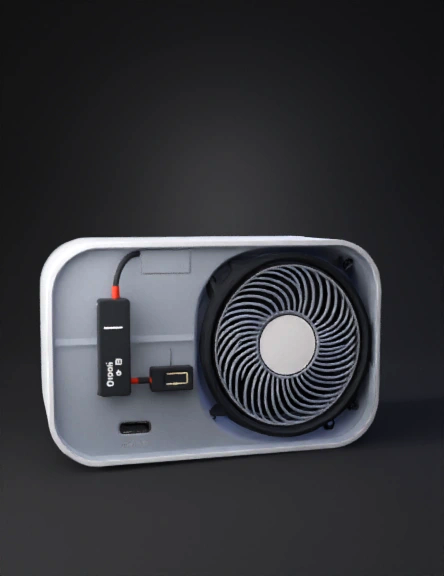
portable power bank 3d model
Prepare the Box: Cut a circular hole on the front for the fan and a rectangular Type-C hole on the side. Install the Partition: Glue a thin piece of plastic in the middle of the box. This creates the "storage space" on one side and keeps it away from the wires. Wiring: Connect the Battery to the B+ and B- terminals of the Type-C Module. Connect the Fan to the Vout of the module, placing the Slide Switch in between so you can use the fan only when needed. Secure: Use hot glue to fix the battery and module in place. Ensure the Type-C port aligns perfectly with the hole you cut. Storage Door: Use a small piece of tape or a plastic flap to create a lid for the storage side so your items don't fall out. 4. Why this works for Travelers Compact: It fits in a pocket or the side pocket of a bag. Type-C Ready: You only need one cable (your phone cable) to charge this device. Emergency Power: The 2500mAh battery can give a modern phone a 40-50% charge boost. Utility: The storage space ensures you
4K·v3.1-20260211


