3D Workspace
Home
Assets
Affiliate Program
Sign up/Log in
?
Upgrade
DCC Bridge
3D Creation Made Simple
Text & Image to 3D Model in seconds
One-Click Texturing & Smart Detail Editing
Free Credits Monthly
Start Free
Anonymous1749247684
10-19 12:32
Model Name
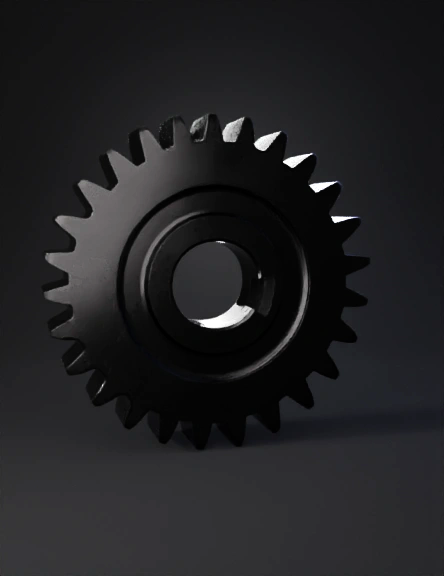
gear 3d model
Tags
machine
rendering
realistic
Input
Prompt
# Replicate teeth by rotation and fuse gear_teeth = None for i in range(z): angle_deg = i * 360.0 / z t = tooth_solid.copy() t.rotate(FreeCAD.Vector(0,0,0), FreeCAD.Vector(0,0,1), angle_deg) if gear_teeth is None: gear_teeth = t else: gear_teeth = gear_teeth.fuse(t) # Combine annulus and teeth into gear body gear = annulus.fuse(gear_teeth) # Create keyway (meia-chaveta) as a rectangular cut # We'll model a rectangular prism (box) and subtract it from the gear's bore. # Box dimensions (radial depth x width x height): key_h x key_w x thickness # Position the box so its inner face coincides with the bore surface (so it cuts into hub by key_h) key_radial_depth = key_h key_box = Part.makeBox(key_radial_depth, key_w, thickness) # place box so its inner face sits at radius = inner_r (aligned along +X), box extends outward (+X) # center box in Z and align its width around Y (so key runs along +Y direction) # Box origin initially at (0,0,0) corner; translate so inner face at inner_r and centered about Y key_box.translate(FreeCAD.Vector(inner_r, -key_w/2.0, -thickness/2.0)) # rotate box to desired angular position (if needed) if key_angle != 0.0: key_box.rotate(FreeCAD.Vector(0,0,0), FreeCAD.Vector(0,0,1), key_angle) # Cut keyway from gear gear_with_key = gear.cut(key_box) # Create a Part feature and add to document obj = doc.addObject("Part::Feature", "gear_triangular_key") obj.Shape = gear_with_key doc.recompute() # Export STEP to file in current working directory output_step = u"gear_50x20_triangular_teeth_keyway_4x2_2.step" Part.export([obj], output_step) print("Exported STEP to:", output_step) # --- Fim do script ---
Detailed Info
Related Models
Enter invite code
Enter invite code to get credits!