3D Workspace
Home
Assets
Affiliate Program
Creator Program
Sign up/Log in
View Plans
DCC Bridge
louisdavecatumal77
02-22 01:11
Model Name
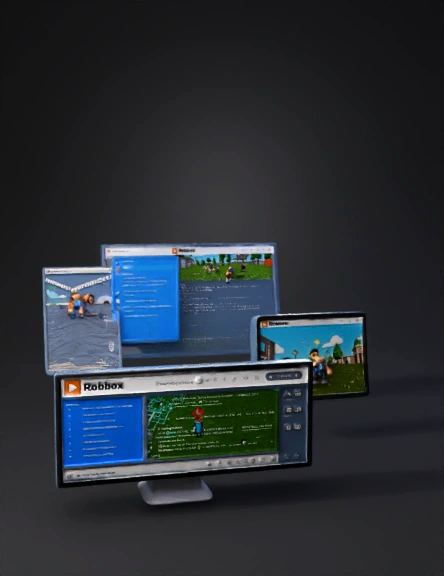
roblox studio interface 3d model
Tags
consoles
props
props realistic
props rendering
props rendering realistic
realistic
rendering
rendering realistic
studio
Prompt
Roblox Studio is a free, all-in-one integrated development environment (IDE) that empowers users to create, build, script, and publish their own 3D games and experiences within the Roblox platform. It's designed for creators of all skill levels, from beginners to experienced developers. Here's a breakdown of its key aspects: 1. Purpose and Accessibility: - Game Development: Its primary function is to allow users to develop games and virtual worlds for the Roblox platform. - Free and Cross-Platform: It's free to use and available on Windows and android, enabling creations to be published to millions of Roblox users across consoles, desktops, and mobile devices. - Monetization: Creators can monetize their work through in-game sales and exclusive content within the Roblox marketplace. 2. Core Features and Tools: - 3D World Building: Users can easily construct 3D environments by dragging and dropping objects, moving and rotating them, and applying textures and materials. - Intuitive Interface: It offers a user-friendly drag-and-drop interface, making it accessible even for those without prior programming experience. - Scripting with Lua: For advanced functionality and interactive gameplay, Roblox Studio utilizes the Lua programming language. It includes an intelligent script editor with features like syntax highlighting, code completion, and inline documentation. - Physics Engine: A built-in physics engine simulates real-life interactions between objects, enhancing the realism of games. - Testing and Emulation: Developers can test their creations directly within Studio and emulate various screen sizes and form factors to ensure compatibility across devices. - AI Tools: Roblox Studio is incorporating AI tools like "Assistant" to automate mundane tasks, generate materials and textures, and help manipulate the data model, allowing creators to focus more on creative aspects. - Asset Management: - Toolbox: Provides access to millions of free and purchasable models, images, meshes, audio, plugins, videos, and fonts from Roblox and other creators. - Creator Store: A marketplace for both free and paid assets. - Inventory/Creations: Stores assets uploaded by the user or their groups, as well as recently used assets. - Asset Manager: For managing places and importing assets in bulk. 3. Key Interface Elements: - 3D Viewport: The main window where users view and interact with their 3D world, moving the camera and editing objects. - Explorer Window: Displays a hierarchical list of all objects and services in the active place (like a level in a game). This includes visible objects (parts, lights) and non-rendered objects (scripts, sounds, folders), collectively forming the "data model." - Properties Window: Shows all the properties of a selected object (size, position, material, etc.), many of which can be adjusted directly or through scripting. - Ribbon Tabs: Organize tools into categories such as: - Home: Core transform tools, part inserter, color/material widgets, group/lock tools, anchor toggle, terrain editor. - Model: Advanced transform tools, pivot/align tools, insertion widgets for effects and constraints, solid-modeling tools. - Avatar: Specialized tools for building rigs, configuring avatars, animations, and creating/fitting accessories. - UI: Insertion widgets for UI objects and access to the style editor. - Script: Tools for writing, testing, and debugging scripts. - Plugins: Houses community-created or user-created plugins. 4. Collaborative and Community Aspects: - Team Creation: Roblox Studio supports real-time collaborative creation, allowing multiple team members to work on the same experience simultaneously. - Group-Based Access: Provides control over access to creations and how team members work on shared experiences and assets. - Massive Audience: Developers can reach a global community of over 50 million daily players. In essence, Roblox Studio offers a comprehensive and accessible platform for anyone interested in game development, providing all the necessary tools for building, scripting, testing, and publishing interactive 3D experiences. What specific aspect of Roblox Studio are you most interested in exploring further?
Detailed Info
Related Models
Enter invite code
Enter invite code to get credits!
 louisdavecatumal77


 louisdavecatumal77