3D Workspace
Home
Assets
Affiliate Program
Creator Program
Sign up/Log in
View Plans
DCC Bridge
shauryakhanna.cy25
12-16 03:11
Model Name
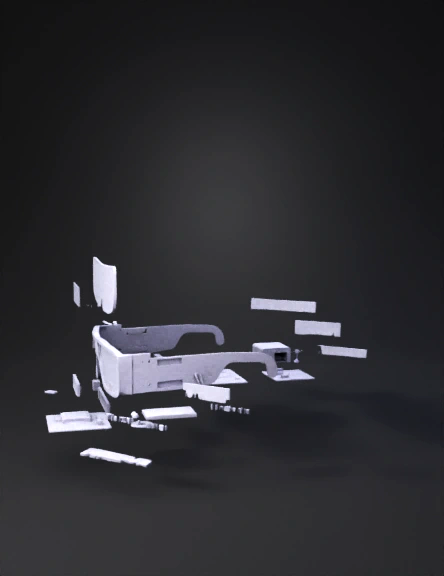
augmented reality glasses 3d model
Tags
augmented
augmented reality glasses
concept art
concept art sci fi
props
props concept art
props concept art sci fi
props sci fi
sci fi
Input
Prompt
Scene 1 (0–5s): Overview Show realistic AR smart glasses worn by a user in a bright laboratory classroom. The glasses are lightweight with visible transparent lenses. Subtle labels appear: “Pico Projector”, “Beam Splitter”, “Camera”, “Processing Unit”. Camera slowly pans left to right. Scene 2 (5–15s): Optical Path (Physics View) Transition to a semi-transparent side cross-section of the glasses. Show a pico projector (approx. 25×25×10 mm) mounted on the right temple arm. Animate a collimated RGB light beam leaving the projector and traveling forward. The beam hits a transparent acrylic beam splitter (2 mm thick, 45° angle) positioned in front of the user’s eye at a distance of ~30 mm. Show ray tracing: – Incident light strikes the beam splitter at ~35° – ~70% of light reflects toward the eye – Remaining light transmits through Label arrows: “Incident Ray”, “Reflected Ray”, “Transmitted Ray”. Scene 3 (15–22s): Virtual Image Formation Switch to first-person view through the lens. Show the reflected image forming a virtual image plane 1–1.5 meters in front of the user, appearing as a floating 3D object. Display a clean 3D anatomical heart / solar system model. The real world remains visible through the transparent lens. Scene 4 (22–32s): AI Interaction Overlay camera vision graphics. Show a front-mounted camera detecting hands. Display AI hand-tracking skeleton lines. Animate gestures: – Pinch gesture → model zooms in – Wrist rotation → model rotates – Open palm → model resets Add subtle labels: “Computer Vision”, “AI Gesture Recognition”, “Real-time Control”. Scene 5 (32–37s): System Architecture Exploded transparent view of the glasses. Components float slightly apart with arrows: – Pico projector → beam splitter → eye – Camera → AI processing → projection control Show clean data flow lines, no clutter. Scene 6 (37–40s): Final Shot Return to the user interacting with the floating hologram. Fade in text: “SPECTRA – Low-Cost Optical Augmented Reality” “AI-Driven | Education-Focused | Accessible” Style remains realistic, physics-accurate, professional academic visualization. Avoid sci-fi effects.
Detailed Info
Related Models
Enter invite code
Enter invite code to get credits!