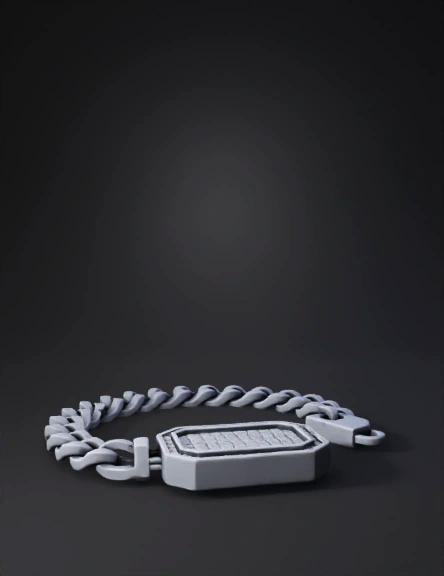
bracelet with pendant 3d model
Select a Masculine Link Style: Cuban/Curbe Links: Use the Curve tools to draw a single oval link, then use Torus or Pipe to give it volume. Use Array on Curve to repeat it into a chain. Box or Franco Links: Focus on Box and Rectangle primitives to create sharp, geometric edges. Dog Tags or Medallions: Start with a Rectangle or Circle curve and use Extrude to create a solid plate. Add Industrial Details: Use the Boolean Difference tool to create "cutouts" or recessed patterns (like Greek keys or tire treads) for a more rugged look. Apply Chamfer or Fillet to edges to give them a polished, beveled architectural feel. Masculine Gem Setting: Flush/Gypsy Setting: Use the Gem Loader and Flush Setting builder. This sinks the diamond into the metal so it sits level with the surface. Channel Setting: Place a row of baguette or round diamonds between two metal rails using the Channel Builder. Pave/Micro-Pave: Use the Gem on Surface tool to cover a flat area (like a dog tag) with a grid of stones
4K·v3.1-20260211


