3D Workspace
Home
Assets
Affiliate Program
Creator Program
Sign up/Log in
?
Upgrade
DCC Bridge
Anonymous1782840163
06-30 18:28
Model Name
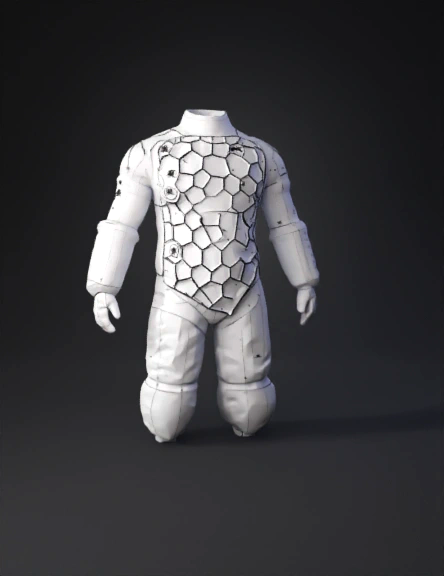
air inflatable armor 3d model
Tags
clothing
clothing realistic
clothing rendering
clothing rendering realistic
hexagonal
realistic
rendering
rendering realistic
Prompt
Slice the "Air Inflation" Bladder Zones To create separate fabric panels for the pneumatic components: Select the Internal Line Tool (G). Go to the front torso pattern piece. Trace the honeycomb-shaped chest zones and the abdominal/oblique segments as shown in the Air Inflation view of 1770848421700 (1).png. Go to the thigh panels on your pattern and draw the geometric blocks for the upper leg bladders. Select all the lines you just drew, right-click, and select Cut & Sew. This splits those zones into separate, independent panels.
Detailed Info
Related Models
Enter invite code
Enter invite code to get credits!
 Anonymous1782840163


 Anonymous1782840163