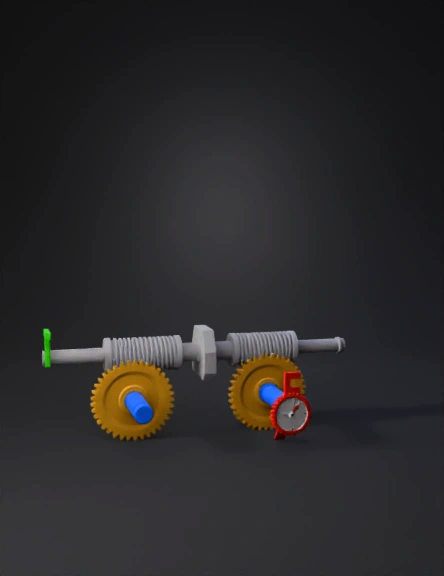
gear mechanism 3d model
STAGE 1 (Left Side): - Draw a horizontal silver threaded rod (Worm 1) - Below it, draw a gold gear wheel with 20 teeth (Wheel 1) - Worm 1 touches Wheel 1 (they mesh) THE CONNECTION: - From the CENTER of Wheel 1, a gray metal shaft extends to the right - The CENTER of another horizontal silver threaded rod (Worm 2) is attached to this shaft - So Worm 2 is connected to the shaft coming from Wheel 1's center STAGE 2 (Right Side): - Below Worm 2, draw a gold gear wheel with 18 teeth (Wheel 2) - Worm 2 touches Wheel 2 (they mesh) LABELS: - "20:1" near first pair - "18:1" near second pair - "360:1" at bottom - Green arrow into Worm 1 (input) - Red arrow out of Wheel 2 with dial (output) STYLE: 3D render, isometric view, metallic surfaces, industrial design - Worm 1 and Worm 2 are SEPARATE pieces (NOT one long rod) - The ONLY connection is: Shaft from Wheel 1 center → Worm 2 center - Worm 1 on LEFT, Worm 2 on RIGHT (NOT same side) - Worm 2 does NOT touch Wheel 1 Both worms must horizontal
4K·v3.1-20260211


