3D Workspace
Home
Assets
Affiliate Program
Creator Program
Sign up/Log in
View Plans
DCC Bridge
Erkan
11-25 13:44
Model Name
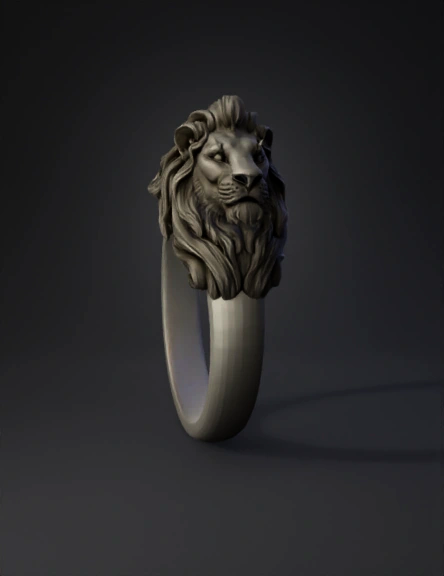
lion head ring 3d model
Tags
lion head ring
props
props realistic
props rendering
props rendering realistic
realistic
rendering
rendering realistic
Input
Prompt
Use the lion sculpture in the reference photo as the exact source for the lion head. Copy the lion’s facial expression 1:1 — same eyes, same brow angle, same muzzle, same whisker pads, same nose shape, same jaw line. Copy the mane exactly as in the reference photo — same direction, same curls, same layered structure, same volume, same flow. Do not simplify or change the style of the mane or face. Integrate this lion head onto the bracelet shape shown in the bracelet model image. The lion head must fit naturally on the bracelet tube, following the same angle, curvature, and placement as the bracelet reference. Only combine the two references: lion head from first image, bracelet form from second image. Produce a clean, smooth, jewelry-ready 3D mesh with high sculpt detail preserved.
Detailed Info
Related Models
Enter invite code
Enter invite code to get credits!
 Erkan
Erkan


 Erkan
Erkan