3D Workspace
Home
Assets
Affiliate Program
Creator Program
Sign up/Log in
View Plans
DCC Bridge
rlawnsgk100
11-29 10:51
Model Name
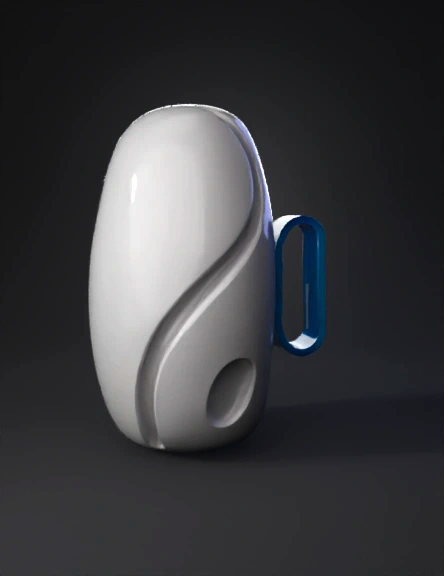
handheld device 3d model
Tags
handheld device
props
props realistic
props rendering
props rendering realistic
realistic
rendering
rendering realistic
Prompt
Use the provided 3D mesh as the main body. Do NOT modify or reshape any part of the existing geometry including the curved groove and oval depression. Preserve the original mesh exactly. Your ONLY task is to add a mounting clip behind the existing part so that it can attach to a flat 15mm-wide surface with two adjacent 8mm-wide side faces. Mounting clip requirements: • Create a thin C-shaped clip that covers: – a 14.5mm inner flat surface (attachment plane) – plus 3–4mm of each adjacent side face • The clip thickness should be 1.5–2.0 mm. • Do NOT create a full sleeve or wrap-around structure. • Do NOT generate any part of the racket handle. • Only add the small clip structure directly behind the existing part. • Keep total size minimal; the existing sculpted front must not change. • Internal width of the clip must be undersized by 0.5 mm for TPU tension-fit. Output: • Add only this small mounting clip. • The input mesh must remain 100% intact. • The final model must be a closed, watertight 3D mesh.
Detailed Info
Related Models
Enter invite code
Enter invite code to get credits!
 rlawnsgk100


 rlawnsgk100