3D Workspace
Home
Assets
Affiliate Program
Sign up/Log in
?
Upgrade
DCC Bridge
3D Creation Made Simple
Text & Image to 3D Model in seconds
One-Click Texturing & Smart Detail Editing
Free Credits Monthly
Start Free
Anonymous1759525551
01-20 19:04
Model Name
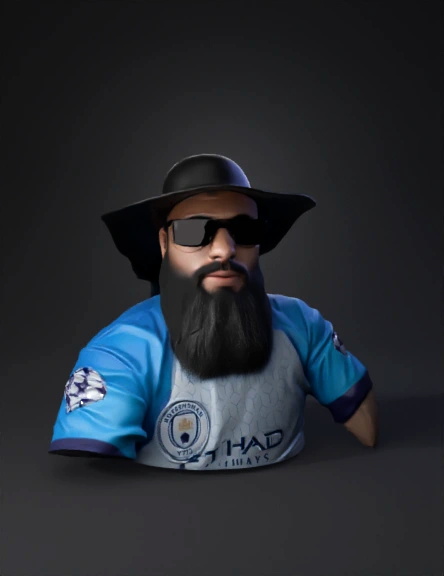
bearded man 3d model
Tags
character
rendering
realistic
Input
Prompt
Use the uploaded image as the main reference. Create a high-quality 3D model based strictly on the shapes, proportions, and details visible in the image. Model requirements: - Generate the 3D model as a MULTI-PART object - Each distinct COLOR in the image must be a SEPARATE MESH / PART - Do not merge different colors into a single mesh - Preserve clean geometry and sharp edges - Avoid unnecessary internal geometry Color and part separation: - One color = one individual part - Clearly separate parts by color boundaries - Ensure parts do not overlap or intersect - Maintain precise alignment between all parts 3D preparation: - Make all parts watertight (manifold) - Optimize topology for 3D printing - Avoid thin walls (minimum thickness: 2mm) - Keep flat surfaces flat where possible Output: - Export as a multi-part 3D model - Preferred formats: STL (one file per part) or OBJ with separated meshes - Maintain real-world scale - Center the model at origin (0,0,0) Do NOT add extra elements, textures, or details not present in the image.
Detailed Info
Related Models
Enter invite code
Enter invite code to get credits!