3D Workspace
Home
Assets
Affiliate Program
Creator Program
Sign up/Log in
View Plans
DCC Bridge
2471226004
11-10 05:55
Model Name
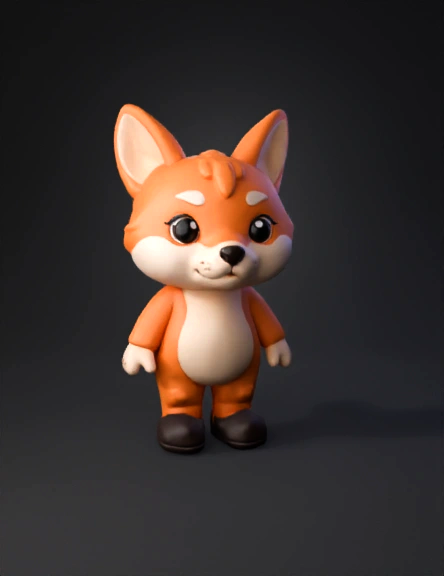
fox toy 3d model
Tags
character
character clay
character rendering
character rendering clay
clay
facial structure
rendering
rendering clay
toy
Input
Prompt
Analyze the facial features, eye style, mouth shape, and expression of the second reference image. Then, turn the first image character into a cute clay-style chibi figure like Nendoroid or Pop Mart aesthetics. Use a 1:3 head-to-body ratio for a chibi style. Maintain the original character’s face shape, skin tone, gender, hairstyle, hair color, facial structure, clothing design, and clothing colors from the first image. Match the second image’s face style: oval dot eyes, small mouth, minimal detail, keeping the original face shape and skin tone. Use soft, smooth, matte textures resembling handcrafted polymer clay, with rounded limbs and a toy-like appearance. Add rounded-toe, deep-colored toy shoes with thick soles and no visible laces or seams. Pose the figure in a frontal standing A-pose. The figure must be fully visible within a 1024×1024 canvas, centered and not cropped. Use a transparent background (alpha channel). Do not include shadows or reflections.
Detailed Info
Related Models
Enter invite code
Enter invite code to get credits!
 2471226004


 2471226004