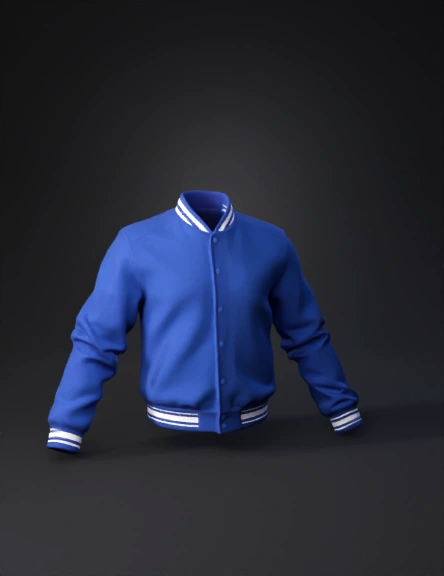
varsity jacket 3d model
Generate a clean, structured 3D mesh of a varsity jacket from the reference image. IMPORTANT: The model must be divided into multiple separate meshes and materials for customization. Required mesh separation: - Jacket body (torso) → separate mesh + material (Body_Mat) - Left sleeve → separate mesh + material (Sleeve_Left_Mat) - Right sleeve → separate mesh + material (Sleeve_Right_Mat) - Collar → separate mesh + material (Collar_Mat) - Cuffs → separate mesh + material (Cuff_Mat) - Waistband → separate mesh + material (Waistband_Mat) - Stripes → separate mesh or material (Stripe_Mat) - Buttons → separate mesh objects (Button_Mat) Requirements: - Each part must have its own assignable material - Clean topology (quad-based if possible) - No baked colors into a single texture - Avoid merging all parts into one mesh - UVs should be clean and non-overlapping Geometry: - Add real thickness and volume (no flat surfaces) - Sleeves cylindrical with folds - Ribbed areas (collar, cuffs, waistb
4K·v3.1-20260211


