3D Workspace
Home
Assets
Affiliate Program
Sign up/Log in
?
Upgrade
DCC Bridge
3D Creation Made Simple
Text & Image to 3D Model in seconds
One-Click Texturing & Smart Detail Editing
Free Credits Monthly
Start Free
Anonymous1759206837
10-04 09:15
Model Name
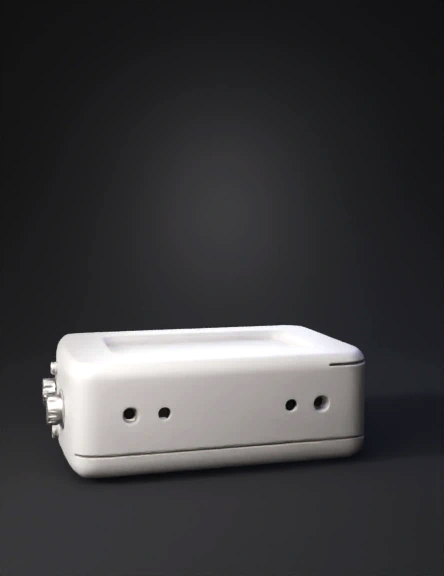
electronics enclosure 3d model
Tags
machine
rendering
realistic
Input
Prompt
shift the SMA pins to back and make 2 holes giving 4cm distance between them to the back of the face which is not visible on this image , and move the C-pin from the middle to the edge corner and make the case flip opening, and do not make any holes or openings other than these 4, and increase the height a width of the case and a width, 2 holes on one side of the face opposite to ethernet cable face and on the ethernet side one opening for the ethernet and the other c-pin opening on the same corner edge opposite of ethernet opening.
Detailed Info
Related Models
Enter invite code
Enter invite code to get credits!